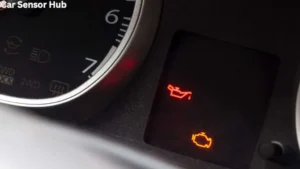
Scan Tool Live Data Oil Pressure Sensor Reading
Modern cars are much smarter than they look. Hidden under the hood, computers watch and manage almost every part of the engine. One of the most important things they monitor is oil pressure. If you want to know what’s happening inside your engine, you need to understand how to use a scan tool to read live data from the oil pressure sensor. This knowledge helps you spot trouble before it leads to serious (and expensive) damage.
Whether you’re a car owner who wants to protect your vehicle, a beginner DIY mechanic, or a student learning about car electronics, this guide will help you decode what your scan tool is showing you. You’ll learn what the oil pressure sensor does, how to read live data, why numbers matter, and what to do if you see something strange on the screen.
Along the way, you’ll see examples, tables, and practical tips to help you avoid mistakes and keep your car running smoothly.
What Is An Oil Pressure Sensor?
Every engine relies on oil to keep moving parts cool and lubricated. If oil doesn’t flow at the right pressure, the engine could overheat or wear out quickly. That’s why all modern cars have an oil pressure sensor. This small device sits inside the engine and measures how much force the oil is pushing with. It sends this information to the car’s computer (ECU) and, sometimes, to your dashboard warning light.
Older cars used simple pressure switches that just turned a light on or off. Today’s sensors are more advanced. They provide real-time numbers, letting mechanics (and you) see the exact oil pressure at any moment. This data helps you catch problems early, instead of waiting for a warning light—or worse, engine failure.
What Is A Scan Tool And Live Data?
A scan tool is a device that connects to your car’s OBD-II (On-Board Diagnostics) port, usually under the dashboard. It talks to the car’s computer and reads error codes, sensor data, and more. Some scan tools are basic and show only stored codes. Others can display live data, meaning real-time readings from sensors while the engine is running.
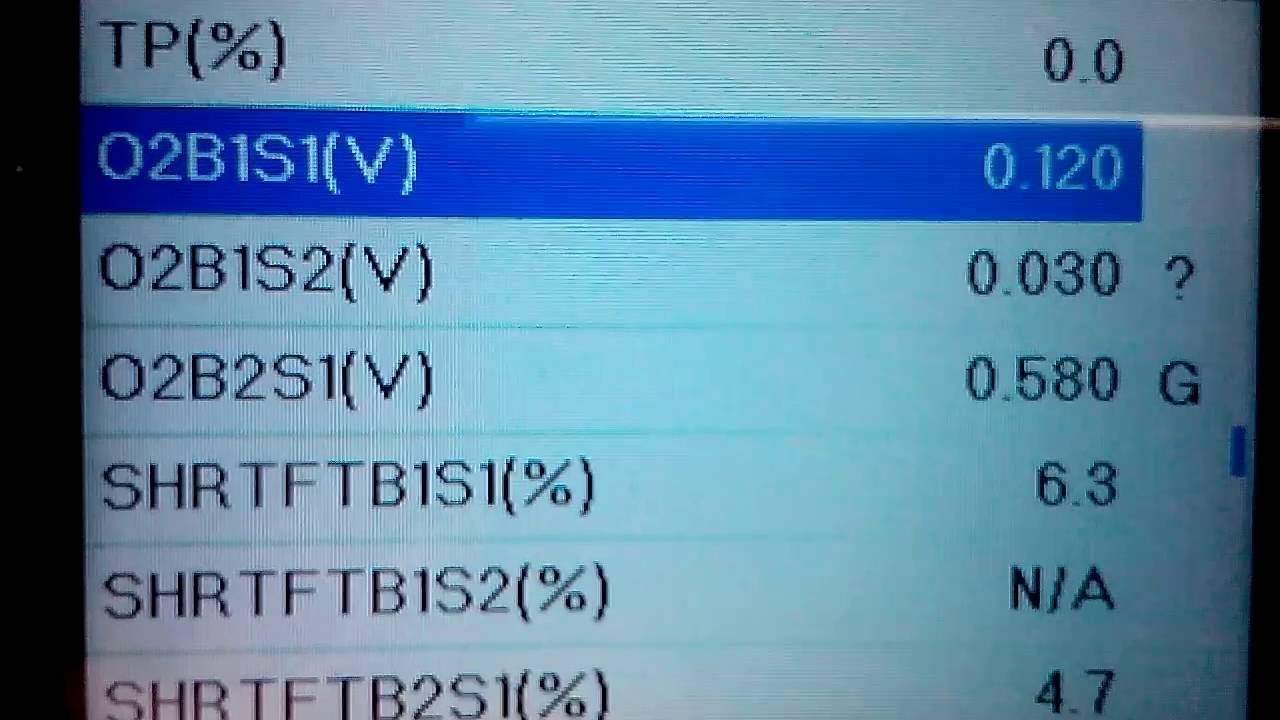
When you read live data oil pressure sensor information, you’re seeing exactly what the sensor is measuring right now. This is different from a code that only tells you something went wrong in the past. Live data is much more powerful because you can see changes as they happen—while driving, idling, or revving the engine.
Credit: obdsoftware.my.site.com
Why Oil Pressure Matters
Oil pressure is the “blood pressure” of your engine. If it’s too low, oil can’t reach important moving parts. Metal rubs against metal, causing heat, friction, and fast wear. If it’s too high, it can strain seals, gaskets, and other parts, leading to leaks or damage.
Both situations can destroy an engine quickly.
That’s why checking oil pressure with a scan tool is more than just a tech trick—it’s a way to protect your car’s most expensive part. By watching live oil pressure, you can:
- Spot leaks or blockages before they cause damage
- Diagnose engine noises or warning lights
- Confirm repairs are working
- Avoid costly breakdowns
How Oil Pressure Sensors Work
Oil pressure sensors use different technologies, but most modern ones are piezoelectric or variable resistance types. When oil pushes against the sensor’s diaphragm, it changes an electrical signal. The car’s ECU reads this signal and converts it to a pressure value, usually in pounds per square inch (psi) or kilopascals (kPa).
Some vehicles use a single sensor for both the gauge and the ECU. Others have two sensors: one for the dashboard and one for the computer. If you’re using a scan tool, you’re reading the data sent to the ECU.
How To Connect A Scan Tool
Before you can read live oil pressure data, you need to connect the scan tool to your car. Here’s how:
- Turn off the engine.
- Find the OBD-II port (usually under the dashboard, near the driver’s seat).
- Plug in the scan tool.
- Turn the ignition to “ON” (don’t start the engine yet).
- Wait for the scan tool to power up and connect.
- Select your vehicle make and model if needed.
- Find the Live Data or Data Stream menu.
- Start the engine to see real-time readings.
Some scan tools use Bluetooth or Wi-Fi and work with a smartphone app. The steps are similar, but you’ll use your phone or tablet as the display.
Finding Oil Pressure Data In Your Scan Tool
Not all scan tools show the oil pressure reading the same way. Here are some common names you might see in the live data list:
- Engine Oil Pressure
- Oil Pressure Sensor
- EOP (Engine Oil Pressure)
- Oil PSI
- Engine Oil Data
If you don’t see oil pressure in your scan tool, your car might not support it, or your tool might be too basic. Some entry-level scan tools only show basic emissions data. For full oil pressure readings, you might need a professional-grade scan tool.
Understanding Oil Pressure Readings
Once you find the oil pressure sensor reading, you’ll see a number that changes as the engine runs. Here’s what you need to know:
- Units: Most US vehicles show pressure in psi (pounds per square inch). Some European or Asian models use kPa.
- Normal Range: Most engines idle at 15-25 psi and run at 30-60 psi at higher speeds. Always check your owner’s manual for the correct range for your engine.
- Cold vs. Hot: Oil pressure is usually higher when the engine is cold and drops as the oil warms up and thins out.
- RPM Effect: As you rev the engine, oil pressure should rise. If it stays low or doesn’t change, there may be a problem.
Here’s a comparison to help you see typical oil pressure values in different situations:
| Engine Condition | Normal Oil Pressure (psi) | Normal Oil Pressure (kPa) |
|---|---|---|
| Engine Cold (Idle) | 30-45 | 206-310 |
| Engine Hot (Idle) | 15-25 | 103-172 |
| High RPM (Hot) | 40-60 | 275-413 |
Keep in mind: Some high-performance engines, trucks, or older vehicles may have different “normal” numbers.
What Causes Abnormal Oil Pressure Readings?
Seeing a number outside the normal range can be worrying. But not all abnormal readings mean your engine is doomed. Here are common causes:
Low Oil Pressure
- Low oil level: Not enough oil in the system.
- Thin (worn out) oil: Old oil loses viscosity.
- Oil leaks: External or internal leaks reduce pressure.
- Worn engine bearings: More space means less pressure.
- Clogged oil filter: Oil can’t flow freely.
- Faulty oil pump: Not enough pressure generated.
- Bad sensor or wiring: False readings are possible.
High Oil Pressure
- Thick oil: Oil too viscous, especially in cold weather.
- Blocked oil passages: Dirt or sludge restricting flow.
- Faulty relief valve: Pressure can’t be released properly.
- Sensor error: A shorted or damaged sensor.
How To Interpret Scan Tool Oil Pressure Data
It’s one thing to see a number; it’s another to know what it means. Here’s how to analyze what your scan tool is telling you:
1. Compare To Specifications
Always check your car’s manual for the “normal” oil pressure range. If your readings fall within that, you’re probably safe.
2. Watch For Sudden Drops Or Spikes
A sudden drop to near zero means you should shut off the engine immediately. This could be a sign of oil pump failure or a major leak.
A high spike may mean a blocked passage or thick oil, but it’s less urgent than low pressure. Still, it should be checked soon.
3. Compare Idle And High Rpm
Oil pressure should rise as you increase engine speed. If it stays flat or drops, the oil pump or sensor may be failing.
4. Look For Consistent Patterns
If oil pressure drops slowly as the engine warms up, that’s normal. If it jumps up and down wildly, there could be a wiring issue or sensor fault.
5. Cross-check With Other Symptoms
Combine what you see on the scan tool with other signs:
- Engine noise (knocking, ticking)
- Dashboard oil warning light
- Oil leaks under the car
- Burning oil smell
If you notice any of these along with abnormal readings, act fast.
Common Mistakes When Reading Oil Pressure Live Data
Even experienced mechanics sometimes misread scan tool data. Here are mistakes beginners often make:
- Not warming up the engine: Cold oil gives higher readings; always check once the engine is fully warm.
- Ignoring the oil type: Using thicker or thinner oil than recommended changes readings.
- Misreading units: Psi and kPa are not the same—double-check your scan tool settings.
- Using a cheap scan tool: Some tools show “fake” or estimated data, not actual sensor readings.
- Forgetting sensor calibration: Some sensors need to be reset after replacement.
- Chasing ghost problems: Sometimes, a bad sensor or wiring, not the engine, causes odd readings.
How To Troubleshoot Oil Pressure Problems With Live Data
When you see a problem on your scan tool, don’t panic. Here’s a step-by-step approach:
- Check the oil level: Add oil if it’s low.
- Change the oil and filter: Old oil or a clogged filter can cause low pressure.
- Reset the scan tool: Clear any codes and recheck live data.
- Check for leaks: Look under the car and around the engine.
- Inspect the sensor and wiring: Make sure connections are clean and tight.
- Test with a manual gauge: If in doubt, use a mechanical oil pressure gauge to confirm readings.
- Consult a mechanic: If pressure is still off, get professional help.
Real-world Example: Diagnosing A Low Oil Pressure Reading
Let’s say your scan tool shows 8 psi at hot idle, but your manual says it should be 15 psi. The oil light is not on, but the engine is a bit noisy.
Steps you might take:
- Stop the engine and check the oil level. It’s low.
- Add oil to the proper level.
- Restart and check live data again. Now it’s 16 psi—back in the normal range.
- Noise is gone.
This simple fix saved the engine from possible damage. If adding oil didn’t help, you’d move to the next steps: changing the oil and filter, checking for leaks, and testing the sensor.
Manual Gauge Vs. Scan Tool: Which Is Better?
A scan tool is fast and easy, but it reads what the sensor tells it. If the sensor is faulty, you’ll get bad data. A manual (mechanical) oil pressure gauge screws into the engine and gives a direct reading.
Here’s a quick comparison:
| Method | Pros | Cons |
|---|---|---|
| Scan Tool | Fast, no engine disassembly, can check while driving | Depends on sensor and wiring, may show estimated data |
| Manual Gauge | Direct, reliable, confirms scan tool results | Requires engine off, tools, possible mess |
For most people, a scan tool is enough. But when you need to be certain, use both methods.
Choosing The Right Scan Tool For Oil Pressure Data
Not all scan tools are equal. If you want to see live oil pressure data, look for these features:
- Live data support: Not just code reading.
- OEM-specific data: Some tools read deeper data from certain brands.
- Unit conversion: Ability to switch between psi and kPa.
- Data logging: Records data for later review.
- Sensor status: Can show if a sensor is working or disconnected.
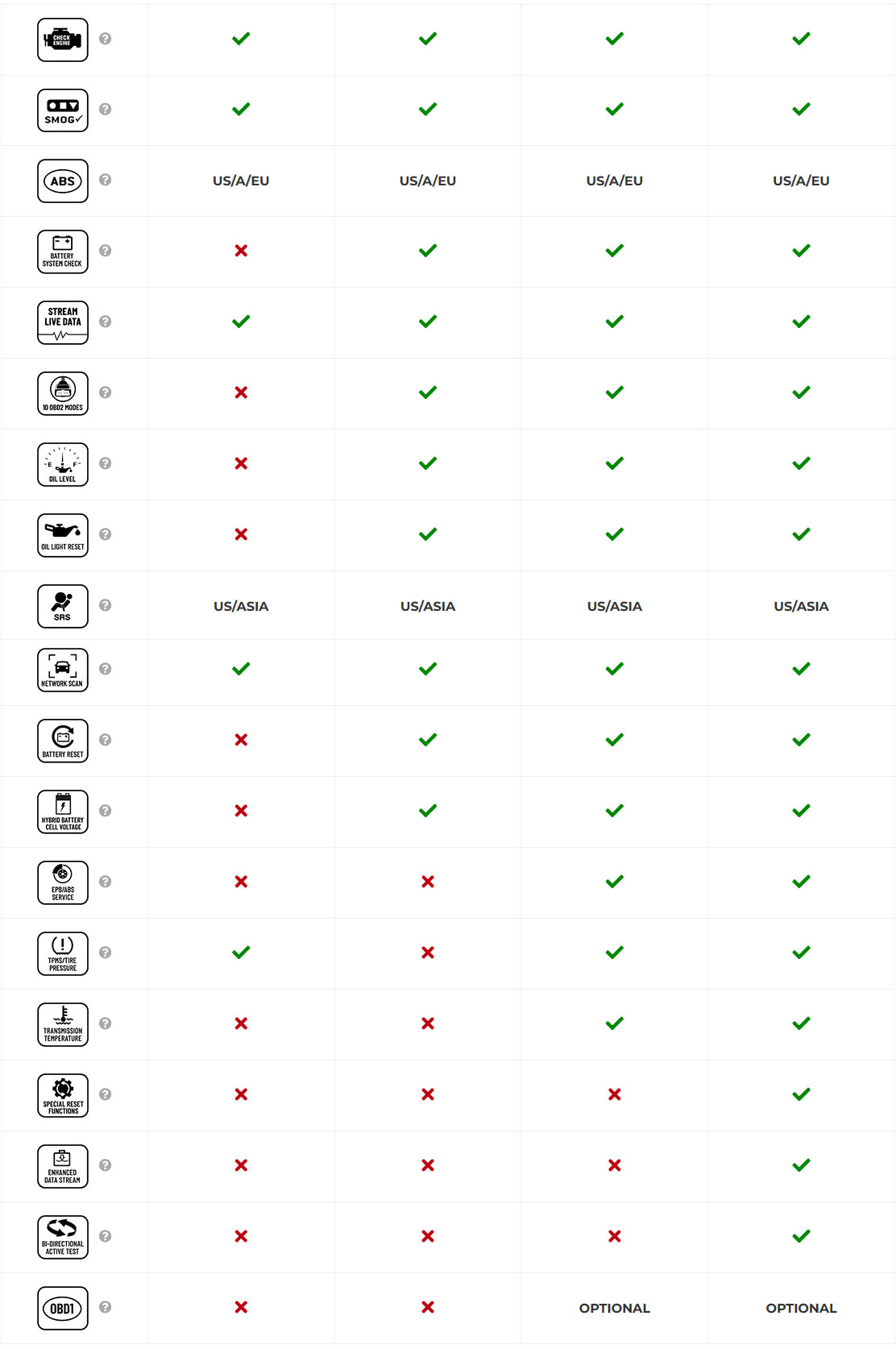
Here’s a comparison of scan tool types:
| Type | Features | Typical Price | Oil Pressure Data? |
|---|---|---|---|
| Basic Code Reader | Reads codes, clears lights | $20-$40 | No |
| Mid-Range Scan Tool | Codes, live data, resets | $50-$150 | Sometimes |
| Professional Scan Tool | Full diagnostics, live data, advanced functions | $200-$1000+ | Yes |
If you’re serious about car maintenance, investing in a good scan tool can pay for itself by catching problems early.
Credit: www.innova.com
Non-obvious Insights Most Beginners Miss
- Oil pressure sensors can lie: If the sensor or its wiring is damaged, you might see very low or very high readings that aren’t real. Always confirm with a manual gauge if the scan tool shows something scary.
- Engine design affects normal readings: Some engines are built to run at lower or higher pressures. Don’t panic if your car’s numbers are outside “average” values—always use the specs for your specific model.
- High pressure isn’t always good: Many think more pressure means better lubrication. In fact, too much pressure can burst seals or bypass filters, causing more harm than good.
- Short drives can trick you: If you check oil pressure after just a few minutes, the oil may not be fully warmed up. Always wait for the engine to reach normal operating temperature before trusting the reading.
- Live data can help spot intermittent problems: Sometimes oil pressure drops only under certain conditions, like hard braking or sharp turns. Watching live data while driving can reveal issues that static tests miss.
Practical Tips For Reliable Oil Pressure Readings
- Always let the engine run for at least 10 minutes before checking live data.
- Use the correct oil type and viscosity for your car.
- Replace the oil filter at every oil change.
- Keep wiring and connectors clean and dry.
- If you replace the sensor, clear codes and recheck live data.
- Record readings over time for early warning of developing problems.
When To Seek Professional Help
If you see oil pressure readings well outside your car’s specifications, especially along with noise, leaks, or warning lights, don’t risk your engine. A professional mechanic has the tools and experience to:
- Test with a manual gauge
- Check internal engine wear
- Replace sensors safely
- Diagnose complex issues
It’s better to pay for a proper diagnosis than to gamble with a costly engine repair.
Where To Learn More
If you want to dive deeper into how oil pressure sensors work and how to diagnose problems, check out this in-depth guide from Wikipedia.
Credit: www.youtube.com
Frequently Asked Questions
What Is A Normal Oil Pressure Reading On A Scan Tool?
Most engines show 15-25 psi at hot idle and 30-60 psi at higher RPM. Always check your owner’s manual for the exact numbers for your car.
Can A Bad Oil Pressure Sensor Cause Engine Damage?
A faulty sensor alone won’t hurt the engine, but it can hide real problems. If you ignore low pressure warnings because you think it’s “just the sensor,” you risk severe engine damage.
How Do I Know If My Scan Tool Shows Real Oil Pressure Data?
Look for “live data” or “real-time” readings. Some cheap tools show estimated values or nothing at all. Compare with a manual gauge if you’re unsure.
Is It Safe To Drive With Low Oil Pressure?
No. Driving with low oil pressure can quickly destroy your engine. Stop the car and fix the problem before continuing.
Do All Cars Support Live Oil Pressure Readings?
No. Some older vehicles or basic models don’t have sensors that support live data. Check your owner’s manual or ask your dealer if your car supports this feature.
Using a scan tool to read live oil pressure sensor data is a smart way to keep your engine healthy. With practice, you’ll be able to spot problems early, avoid costly repairs, and feel more confident as a car owner or DIY mechanic.
Remember, the numbers tell a story—learn to read them, and your engine will thank you.
Disclosure: As an Amazon Associate, I may earn from qualifying purchases at no extra cost to you. Amazon and the Amazon logo are trademarks of Amazon.com, Inc, or its affiliates.
- Amazon, Amazon Prime, the Amazon logo and Amazon Prime logo are trademarks of Amazon. com, Inc. or its affiliates.

I am Sadman, the founder of CarSensorHub.com, where I share my passion for cars and technology. I specialize in writing detailed reviews and helpful guides on car gadgets, accessories, safety tools and many more. My mission is to help car owners discover the best products and tips to improve their driving experience and stay safe on the road.