What TPMS sensor kit is compatible with Tesla Model Y? That question comes up fast the moment they swap wheels, mount winter tires, or buy a second set of rims and want the dash to stay quiet.
Tesla Model Y uses a specific TPMS setup that can change by model year and build date, so “universal” kits often miss the mark. The right kit should match the car’s TPMS frequency and protocol, and it should pair cleanly without warning lights or repeated relearns.
From an installer’s point of view, the most reliable path is confirming the vehicle’s TPMS type before buying anything. For example, when they install 19-inch winter wheels on a 2023 Model Y, choosing the correct Bluetooth-style sensors means the car typically recognizes them after a short drive—no extra tools, no shop revisit.
Up next, they’ll see how to identify the correct sensor style, what to check on the product listing, and which options tend to work best for:
- Factory/OEM-style replacement sensors
- Pre-programmed compatible sensor kits
- Programmable multi-vehicle sensors (when supported)
They can use the guide to verify fitment in minutes and buy with confidence, not guesswork.
Why Tesla Model Y TPMS Compatibility Matters
Now, the real issue isn’t just finding “a” sensor kit—it’s picking one that actually talks to the car. A Tesla Model Y can’t show accurate tire pressure data if the TPMS sensors aren’t compatible with its specific hardware and frequency.
When the kit is wrong, the driver usually sees a persistent TPMS warning, missing pressure readings, or delayed updates after a wheel swap. That’s not just annoying; it can hide a slow leak until handling feels off or range drops from underinflated tires.
Compatibility also affects how smoothly the car relearns sensors after seasonal wheel changes. With the right kit, the Model Y typically auto-detects sensors after a short drive. With the wrong kit, a shop may waste time “reprogramming” something the vehicle can’t read in the first place.
Look at what a mismatch can trigger:
- Dash alerts that don’t clear after driving
- No per-tire PSI readings in the vehicle display
- Unnecessary labor from repeated relearn attempts
- Safety and tire-wear risks from unnoticed low pressure
Practical example: a driver installs aftermarket 20-inch wheels with “universal” sensors from a prior vehicle. The shop balances everything perfectly, but the Model Y still shows “Tire Pressure Monitoring System Fault.” Swapping to the correct Tesla-compatible BLE sensors resolves it after a short drive, with PSI appearing per wheel.
How to Identify the Correct TPMS Type for a Model Y
They’ll get the right answer faster by identifying the Model Y’s TPMS technology before buying anything. Tesla has used different sensor types across years and builds, so “fits Model Y” claims should be verified against the vehicle’s requirements.
Start with the car’s build details and what the vehicle expects to detect. Many newer Model Y vehicles use Bluetooth Low Energy (BLE) TPMS sensors rather than older 433 MHz radio-frequency styles used by many other brands.
Reliable ways to confirm the correct TPMS type include:
- Checking the Model Y’s model year and region (US/EU builds can differ)
- Reviewing the wheel/tire invoice from Tesla or the original wheel’s sensor part marking
- Using the Tesla Service menu or service documentation to confirm sensor technology
- Asking the wheel shop what sensor protocol their tool detects on the existing wheels
Practical example: a driver with a 2023 Model Y buys a 433 MHz “programmable” kit because it worked on a previous SUV. The car never recognizes the sensors. After confirming the vehicle requires BLE TPMS, they purchase a BLE-compatible kit listed for 2021+ Model Y, and the readings populate after a brief drive.

OEM Tesla TPMS Sensor Kits: When They’re the Best Choice
Now that the sensor type is clear, the simplest path is often the OEM route. An OEM Tesla TPMS sensor kit is built to match Tesla’s protocol, wake-up behavior, and expected signal strength, so pairing is typically quick and predictable.
OEM is the best choice when a driver wants maximum plug-and-play reliability. It’s also the safest bet for owners who don’t want to troubleshoot intermittent warnings after a tire shop visit or a seasonal wheel swap.
They’re especially sensible in a few common situations:
- New wheels from Tesla (or wheels known to be OEM-spec) where fitment and valve geometry are already aligned.
- Lease returns or warranty-minded ownership where minimizing variables matters.
- Cold-climate use where marginal sensor batteries or weak RF performance can show up as dropouts.
Practical example: a Model Y owner installs Tesla’s winter wheel package and chooses the OEM TPMS kit at the same time. After mounting, they drive for a short period and the car recognizes the sensors without repeated alerts, saving a return trip to the tire shop.
When buying OEM, the key is ordering the kit that matches the vehicle’s build year and TPMS generation. A reputable seller should list Tesla part numbers or explicit “Model Y (year range)” compatibility, not vague “fits Tesla” language.
Aftermarket TPMS Sensor Kits That Commonly Fit Model Y Wheels
For many owners, aftermarket kits make sense when they’re building a custom wheel setup or trying to control costs. The right aftermarket TPMS sensors can work well, but only when the kit matches Tesla’s required frequency and protocol for that Model Y.
Aftermarket options typically fall into two buckets: pre-programmed Tesla-specific sensors and programmable “universal” sensors that a shop programs to Tesla. Pre-programmed units reduce shop steps, while programmable units are flexible across multiple vehicles.
Aftermarket kits commonly fit Model Y wheels when they meet these criteria:
- Correct frequency and Tesla protocol for the vehicle’s TPMS generation
- Valve stem style matches the wheel (rubber snap-in vs metal clamp-in)
- Proper sensor body clearance for the wheel’s drop center and barrel
Practical example: a driver buys 19-inch aftermarket wheels and a set of programmable sensors from a major brand. The tire shop programs them to the correct Tesla profile before mounting, then the driver completes a short road test and confirms stable pressure readings on all four corners.
The main expertise tip: compatibility isn’t just “Model Y.” It’s “Model Y, correct TPMS generation, correct valve hardware.” When those three line up, aftermarket kits can be dependable and cost-effective.
Read More: Tesla Model Y tire pressure sensor reset guide
Fitment Checklist: Frequency, Valve Type, Wheel Size, and Sensors
Now that they’ve narrowed down sensor “type,” the next step is simple: confirm the kit actually fits the wheel and the car’s receiver. A Tesla Model Y is picky in predictable ways, and most “it should work” claims fail on one of four checkpoints.
Start with frequency. The kit must match the region-specific radio band used by the vehicle (commonly 433 MHz in many markets, 315 MHz in others). If the frequency is wrong, the car won’t hear the sensors, even if everything else looks perfect.
Next is valve type. Most Model Y wheel setups use clamp-in metal valves, not snap-in rubber stems. The sensor body and valve angle must clear the barrel of the wheel and the brake hardware without contacting anything at speed.
Wheel size matters because internal barrel shape changes with 19, 20, and 21-inch wheels, and it changes again with many aftermarket designs. A sensor that fits a factory wheel can physically interfere in a tight aftermarket barrel, especially with thick spokes or aggressive drop centers.
Finally, verify the sensor generation and protocol the kit supports, plus whether it’s pre-programmed or needs cloning. A practical example: they buy a “universal” kit for a winter 19-inch set, but the valves are snap-in and the sensor sits too tall; it seals poorly and rubs the wheel barrel, so the correct fix is a clamp-in, low-profile kit made for Tesla applications.
- Frequency: matches vehicle region (315/433 MHz as applicable)
- Valve: clamp-in metal, correct angle and seal hardware
- Wheel: barrel clearance for sensor height and orientation
- Protocol: correct Tesla-compatible BLE/RF generation and programming method
Installation and Pairing Expectations: What Typically Happens After Mounting
Once the sensors are mounted, the workflow shifts from parts selection to verification. A clean install is about sealing, torque, and a predictable pairing routine, not guesswork in a parking lot.
At the tire machine, the installer should treat TPMS like a precision component. The valve nut is torqued to the sensor maker’s spec, the grommet and washer stack are installed in the right order, and the sensor is positioned to avoid bead damage during mounting. If the shop reuses old seals, slow leaks and intermittent pressure readings become common.
After mounting, pairing usually happens through the vehicle’s relearn process and a short drive. Many Tesla-compatible kits auto-register once the car sees stable wheel-speed and sensor broadcasts; they’ll often populate within 10–20 minutes of driving. If the car shows dashes for pressure, it typically means the sensors aren’t being heard, aren’t awake, or aren’t the right protocol for that Model Y.
A practical example: they swap to a second wheel set at home and see “Tire Pressure Monitoring System fault.” They drive for 15 minutes and nothing changes. The fix is often not “more driving,” but confirming the sensors were activated with a TPMS tool, verifying correct frequency/protocol, then restarting the vehicle and repeating the relearn drive.
- Expect a short drive cycle before pressures appear
- Use new seals and torque to spec to prevent leaks
- If readings stay blank, confirm activation, frequency, and protocol
Common TPMS Problems on Model Y and How to Prevent Warning Lights
Now that the sensors are mounted and paired, most Model Y TPMS headaches come down to a few predictable triggers. The warning light usually isn’t “random”—it’s reacting to missing data, unstable pressure, or a sensor that isn’t waking up consistently.
The most common culprits are simple. Cold snaps drop tire pressure fast, and the system flags the change. A slow leak, bent valve stem, or corrosion around the valve core can also cause repeated alerts even after a refill.
To reduce warning lights, they can follow these steps:
- Set pressures cold (parked 3+ hours) to the door-jamb spec, not the shop’s “round number.”
- After inflation, drive 10–15 minutes at normal speeds so sensors broadcast stable readings.
- Check for slow leaks using soapy water at the valve and bead; repair before resetting expectations.
- If warnings persist, inspect the wheel for valve stem damage or a loose core after tire service.
Real-world example: after a winter tire swap, a driver sees “Tire Pressure Monitoring System Fault” the next morning. Pressures were set warm inside the shop; overnight temps dropped 20°F, pushing them below threshold. Setting pressures cold and driving a short loop clears the alert without replacing parts.
Watch out: many owners chase the question “What TPMS sensor kit is compatible with Tesla Model Y” when the real issue is a leaking valve core or under-torqued stem nut. Fix the air system first, then troubleshoot electronics only if data still won’t stabilize.
Wrapping Up
Now that the options and process are clear, the real decision comes down to matching the car’s TPMS generation and buying from a source that guarantees correct programming and support. For anyone asking What TPMS sensor kit is compatible with Tesla Model Y, the safest path is the kit that aligns with the vehicle’s build requirements and the wheels being used, not the cheapest listing.
A quick real-world example: a driver swaps to winter wheels, chooses a kit verified for their Model Y year, and has the shop install all four sensors during mounting. The result is clean pairing, stable readings, and no repeat visits for warning-light troubleshooting.
- Confirm compatibility before purchase, then keep the invoice and sensor IDs.
- Use a reputable installer who handles TPMS daily.
- Test promptly after the swap so issues are caught while the wheels are still on the machine.
Next step: they should verify their Model Y’s model year and sensor type, then order a verified kit and book installation with a TPMS-capable tire shop.
FAQs For What TPMS sensor kit is compatible with Tesla Model Y
What type of TPMS sensor is required for a Tesla Model Y?
The Tesla Model Y uses Bluetooth Low Energy (BLE) TPMS sensors. Unlike older systems that used 433 MHz radio frequency, the Model Y requires 2.4 GHz BLE technology to communicate with the car’s computer.
Are all Tesla TPMS sensors compatible with the Model Y?
No. Only sensors from 2021+ Model 3 and Model Y are compatible. Sensors from older Tesla models (Pre-2021) typically use 433 MHz RF signals, which will not pair with the Model Y’s Bluetooth-based system.
What are the best aftermarket TPMS options for the Model Y?
Several reputable brands offer compatible BLE kits that serve as direct replacements for the original parts. Popular options include:
Autel (MaxiTPMS BLE)
T Sportline BLE Sensors
Z-Auto / EVaca
Bartec (Rite-Sensor Blue)
What is the official OEM part number for the Model Y BLE sensor?
The standard OEM part numbers for these Bluetooth sensors are typically 1490750-01-A or 1490701-01-B/C/E. These are the official parts found in Tesla service centers and their online shop.
Do I need a programming tool to sync new sensors to the car?
No. The Model Y features an Auto-Learn function. After installing the new sensors, you simply need to drive the vehicle for approximately 10–15 minutes at speeds above 15 mph (25 km/h). The system will automatically detect and sync the new IDs.
How can I verify if my sensors are working correctly?
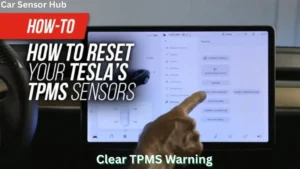
You can check the tire pressure status directly on the car’s touchscreen. Navigate to Controls > Service. If the sensors are compatible and synced, you will see real-time PSI or Bar readings for each individual tire.
Disclosure: As an Amazon Associate, I may earn from qualifying purchases at no extra cost to you. Amazon and the Amazon logo are trademarks of Amazon.com, Inc, or its affiliates.
- Amazon, Amazon Prime, the Amazon logo and Amazon Prime logo are trademarks of Amazon. com, Inc. or its affiliates.

Hi, I am AKM Sad. I’m a car enthusiast and reviewer who loves exploring gadgets and accessories. I share honest reviews and practical tips to help you get the best products and enjoy a safer, smoother ride.