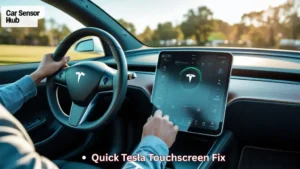
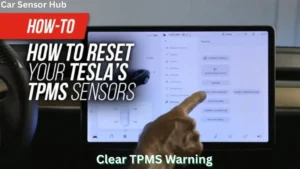
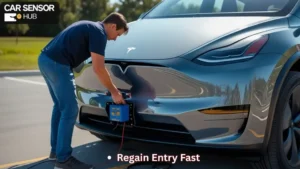
If you drive a Tesla Model Y, you know it’s not just another car—it’s a smart machine. But even smart machines have problems. One issue some owners face is the speed sensor error. This error can cause headaches, from sudden warning lights to features like Autopilot not working. If you see a message about a speed sensor error, don’t panic. With the right approach, you can often fix it yourself or know what to ask your service center.
In this article, you’ll learn everything about the Tesla Model Y speed sensor error. You’ll find out what it means, why it happens, how it affects your car, and, most importantly, how to reset it safely. You’ll also get tips to avoid common mistakes and understand when it’s time to call in the professionals.
Whether you want to save a service trip or just be more informed about your car, you’ll find clear, step-by-step help here.
What Is A Speed Sensor Error In The Tesla Model Y?
The speed sensor is a small but important part of your Model Y. It tracks how fast each wheel is spinning. This information goes to your car’s computer to control things like traction control, anti-lock brakes (ABS), and even Autopilot. If the sensor has a problem, your car may not know its speed or detect if a wheel is slipping.
A speed sensor error means your car’s computer is getting wrong or missing signals from one or more sensors. You’ll usually see a message on your screen, such as “Speed Sensor Needs Service” or “Driving and Safety Features Limited.” Some drivers notice the error after hitting a pothole or during wet weather, while others see it at random.
Why The Speed Sensor Matters
Your Model Y depends on accurate speed data for:
- Safe braking (ABS)
- Stability control
- Traction control
- Autopilot and cruise control
- All-wheel drive management
If the sensor is not working, your car may turn off some features or even limit your driving speed to keep you safe.
Common Causes Of Speed Sensor Errors
Understanding what triggers the error can help you fix it faster. Here are the most frequent reasons:
- Dirt or debris: Mud, snow, or road salt can cover the sensor.
- Physical damage: Hitting a curb, pothole, or road debris can crack or knock loose the sensor or its wiring.
- Water intrusion: Driving through deep puddles or washing the undercarriage can let water into sensor connectors.
- Sensor failure: Like any electronic part, the sensor can just stop working over time.
- Wiring issues: Broken wires, loose connections, or corrosion can interrupt signals.
- Software glitches: Sometimes, a bug in the car’s software causes false errors.
Many drivers think only hardware can fail, but software bugs are a common reason, especially after an update. Also, some errors are triggered by simple things, like a piece of gravel stuck by the sensor.
Signs And Symptoms Of A Speed Sensor Error
You might notice more than just a warning message. Here’s what else can happen:
- Warning lights: ABS, traction control, or other alerts light up.
- Loss of features: Cruise control or Autopilot won’t work.
- Strange driving feel: The car may limit acceleration or braking.
- Speedometer problems: Your speed display may jump or freeze.
- Noise: Some hear grinding or clicking if the sensor is loose.
It’s important not to ignore these signs. Driving with a faulty speed sensor can reduce your safety and damage other systems over time.
Read More: TPMS Sensors for Tesla Model Y
How To Diagnose A Speed Sensor Error
Before you reset anything, you need to know what’s really wrong. Here’s a simple diagnostic process you can follow at home:
Step 1: Check The Error Message
The Tesla touchscreen will usually give a clear warning. Note the exact wording. If it says which wheel is affected (like “Front Left Speed Sensor”), that helps you focus your checks.
Step 2: Visual Inspection
- Park safely and turn off the car.
- Look behind each wheel for dirt, damage, or loose wires near the brake area.
- Use a flashlight to check for mud, ice, or broken connectors.
- If you find a lot of dirt, clean gently with water (not high pressure).
Step 3: Use The Tesla App
Open the Tesla app, go to the “Service” section, and see if more details are listed. Sometimes, the app shows extra error codes.
Step 4: Obd-ii Scan (optional)
If you have an OBD-II scanner with a Tesla adapter, you can read deeper error codes. This can show if the issue is electrical or just a false alarm.
Step 5: Note When It Happens
Did it start after a storm, car wash, or hitting a pothole? This can hint at the cause.
Many owners skip the visual check, but it can quickly reveal simple problems like a loose wire or caked-on mud.
How To Reset The Speed Sensor Error On Tesla Model Y
Once you know the cause, you may be able to reset the error. Always try the simplest steps first. If the error keeps coming back, it may need a real repair.
Method 1: Soft Reboot (the “two Scroll” Reset)
This is the easiest and safest way. It restarts your car’s computer, but keeps your settings.
- Park and put the car in “Park.”
- Press and hold both scroll wheels on the steering wheel for about 10 seconds.
- The screen will go black, then show the Tesla logo as it restarts.
- Wait for all systems to come back.
- Check if the error is gone.
This fixes many temporary software glitches.
Method 2: Full Power Off
If a soft reboot doesn’t help, try powering off the whole car.
- Go to Controls > Safety > Power Off.
- Wait at least 3-5 minutes. Don’t open doors or touch pedals.
- Press the brake to wake the car up.
- Check for warnings.
This method resets more systems than a soft reboot. Sometimes, it clears “stuck” errors after a sensor gets wet or dirty.
Method 3: Disconnect The 12v Battery (advanced)
This is more technical, but can reset deeper faults. Only try if you are comfortable and the above steps failed.
- Turn off the car and wait 10 minutes.
- Open the front trunk (“frunk”).
- Find the 12V battery (usually near the windshield).
- Use a wrench to disconnect the negative (black) cable.
- Wait 5-10 minutes.
- Reconnect the cable tightly.
- Close the frunk and wake up the car.
This acts like a “hard reset” for the car’s electronics.
Method 4: Clear Debris And Reboot
If you found dirt or mud on the sensor, clean it, then do a soft reboot as above. If the sensor was blocked, this can solve the problem.
Method 5: Software Update
Sometimes, the error is caused by a bug. Check for pending updates:
- Go to Controls > Software.
- If an update is available, connect to Wi-Fi and install.
- After updating, reboot the car.
Tesla often fixes sensor-related bugs with new software.
Method 6: Service Mode (for Advanced Users)
There is a hidden “Service Mode” in Teslas, for technicians. Entering it can show more details, and in rare cases, let you clear some errors.
- On the touchscreen, tap “Model Y” at the top of the menu 5 times quickly.
- Enter “service” as the password.
- Look for speed sensor info under “Alerts” or “Drive.”
- Do not change settings you don’t understand.
Warning: Service Mode is powerful. Mistakes can cause other issues. Use only to read info, not reset unless you are sure.
When To Seek Professional Help
Resetting the error only helps if the sensor is not damaged. If the error returns after every reset, it’s time to contact Tesla Service. Warning signs you need a technician:
- The car drives strangely, or brakes feel weak.
- The error appears after hitting something hard.
- The sensor or wiring looks broken.
- You hear grinding, clicking, or other noises.
- Multiple sensors show errors at once.
Don’t ignore ongoing speed sensor errors. They affect your car’s safety and can lead to bigger problems if not fixed.
Preventing Future Speed Sensor Errors
While some errors can’t be avoided, you can reduce your risk with smart habits:
- Avoid deep puddles and heavy mud when possible.
- Rinse under your car after winter to remove road salt.
- Check wheels and brake areas for damage after hitting curbs or potholes.
- Keep up with software updates.
- Don’t ignore warning lights—fix them early.
A useful trick: Once a month, turn your steering fully left and right with the car parked. This can help spot dangling or damaged wires before they cause errors.
Real-world Examples: Tesla Owners’ Experiences
Here are some stories from actual Model Y owners who dealt with speed sensor errors:
Case 1: Muddy Sensor in Winter
Jorge, in Minnesota, noticed an error after driving through slush. His ABS and Autopilot stopped working. A quick look showed mud caked on the front wheel sensor. After cleaning with a hose and rebooting, the error disappeared.
Case 2: Faulty Sensor After Pothole
Leah’s Model Y hit a deep pothole in New York. The speed sensor error appeared, and her speedometer stopped working. She tried all the resets, but the warning returned each time. At the service center, they found a broken wire and replaced the sensor.
Case 3: Software Glitch After Update
Alex received a new software update and suddenly saw a speed sensor error, even though the car drove fine. A future update fixed the issue. In this case, it was just a software bug.
These real stories show why it’s important to check for simple causes before assuming you need expensive repairs.
Comparing Reset Methods: Pros And Cons
Here’s a quick look at how the main reset methods compare:
| Method | Skill Needed | Fixes | Risks |
|---|---|---|---|
| Soft Reboot | Very easy | Minor software glitches | None |
| Full Power Off | Easy | Stuck errors, resets more systems | May lose unsaved settings |
| 12V Disconnect | Advanced | Deep electronic faults | Possible warranty issues if done wrong |
| Cleaning Sensor | Easy | Dirt or debris issues | Can damage sensor if too rough |
| Software Update | Easy | Software bugs | May take time to download/install |
How Speed Sensor Errors Affect Tesla Features
Many drivers don’t realize how much one small sensor controls. Here’s a breakdown:
| Feature | Affected by Sensor Error? | How It’s Impacted |
|---|---|---|
| Autopilot | Yes | May not activate or may shut off mid-drive |
| ABS (Anti-lock Brakes) | Yes | ABS disabled, longer stopping distance |
| Traction Control | Yes | Loss of grip, especially in rain/snow |
| All-Wheel Drive | Yes | May not balance power correctly |
| Speedometer | Yes | Speed display may freeze or show wrong speed |
Knowing which features are affected can help you decide how urgent the fix is. For example, if ABS is off, you should not drive until it’s fixed.
Frequently Missed Details About Speed Sensor Errors
Many Tesla owners overlook these important facts:
- The error may not mean the sensor is broken. Software bugs, dirty connectors, or even loose wheel covers can all trigger the alert.
- Mobile service can often fix it. Tesla’s mobile team can replace a sensor or fix wiring in your driveway—no need to go to the service center for simple cases.
- A “phantom” error may happen after a tire change. Some shops accidentally bump or twist the sensor wire. Always check after tire rotations.
- A persistent error can drain your 12V battery. If the sensor error causes warning lights to stay on, your car may not sleep properly and can drain the battery overnight.
Cost Of Speed Sensor Repairs In Tesla Model Y
If you need a new sensor or wiring repair, here’s what to expect:
- Sensor replacement: $150–$350 (parts and labor)
- Wiring repair: $100–$250
- Software reset only: Usually free
Prices can vary by location and warranty status. If your car is under warranty, sensor replacement is usually covered.

Credit: www.reddit.com
What Tesla Service Will Do
If you book a service visit for a speed sensor error, here’s how the process usually goes:
- Diagnosis: They’ll scan your car for error codes and inspect the affected wheel.
- Physical inspection: The technician checks for dirt, damage, or loose wires.
- Test drive: To confirm the issue.
- Repair or replace: They swap the sensor or fix wiring as needed.
- Software check: Updates or resets software if that’s the problem.
- Final test: Ensures the error is gone before returning your car.
Tesla’s process is often quick—most simple repairs take under two hours. More complex wiring damage may take longer.
Tips For A Successful Diy Reset
If you plan to reset the error yourself, keep these tips in mind:
- Always put the car in Park before starting any reset.
- If cleaning sensors, use gentle water—not a pressure washer.
- Don’t disconnect the 12V battery unless you know what you’re doing.
- Document what you tried (with photos, if possible). This helps if you call Tesla later.
- Don’t ignore repeated errors—see a pro if the warning returns.

Credit: www.reddit.com
Speed Sensor Error Myths
Let’s clear up some common myths:
- Myth: “If I reset the error, the problem is fixed forever.”
- Reality: If the sensor is damaged, the error will return. Resetting only works for software or minor issues.
- Myth: “You must replace all four sensors if one fails.”
- Reality: Only the faulty sensor needs attention.
- Myth: “A speed sensor error is always expensive.”
- Reality: Many fixes are simple or covered by warranty.
- Myth: “I can ignore the warning if the car drives fine.”
- Reality: Safety features may not work. Always investigate any warning.
How To Talk To Tesla Service About A Speed Sensor Error
If you decide to contact Tesla, be ready to give clear details:
- Which wheel shows the error (if listed)
- When the error started (after rain, pothole, tire change, etc.)
- What steps you already tried
- Any other warning lights or problems
This helps the technician diagnose and fix your Model Y faster.
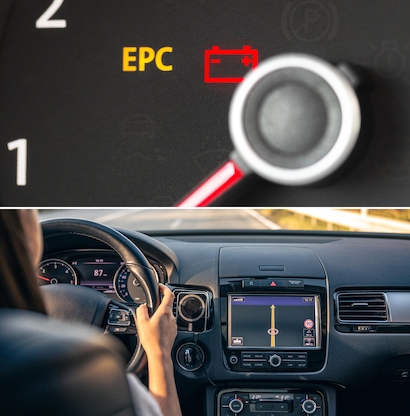
Credit: gunthervwdelray.com
Is It Safe To Drive With A Speed Sensor Error?
In some cases, you can drive short distances, but it depends on which features are affected. If ABS or stability control are off, drive only to get repairs. If Autopilot or cruise control are disabled but brakes work normally, it’s less urgent.
Always check your car’s response—if anything feels strange, stop and call for help.
Long-term Impact If Not Fixed
Ignoring a speed sensor error can cause:
- Loss of safety features (ABS, stability control)
- More wear on brakes and tires
- Possible damage to other electronic systems
- Lower resale value if the warning stays on
It’s always better to fix the error sooner rather than later.
How Tesla’s Speed Sensor Compares To Other Cars
Tesla’s sensors are similar to those in other modern cars but are more closely linked to advanced features like Autopilot. Here’s a quick comparison:
| Brand | Sensor Location | Linked Features | Typical Reset Method |
|---|---|---|---|
| Tesla | Wheel hub/axle | Autopilot, ABS, traction, AWD | Screen reboot, power off, battery disconnect |
| Toyota | Wheel hub | ABS, traction | OBD reset, battery disconnect |
| BMW | Wheel hub | ABS, stability, cruise | OBD reset, drive cycle |
Tesla’s system is more software-driven, so resets often fix minor issues, but hardware repairs are similar across brands.
Staying Up To Date
Tesla often improves error detection and system stability through software updates. Make sure your car is always updated. For more about Tesla’s technology and updates, you can check Wikipedia’s Tesla Model Y page.
Learn More: Best Crash Sensors for Cars
Frequently Asked Questions
What Does A Speed Sensor Do In A Tesla Model Y?
The speed sensor tracks how fast each wheel is spinning. It helps control ABS, traction, stability, and Autopilot. If it fails, these features may not work properly.
Can I Reset A Speed Sensor Error Myself, Or Do I Need Tesla Service?
You can try basic resets (soft reboot, power off, cleaning) yourself. If the error returns or you see damage, contact Tesla Service for repair.
Will A Speed Sensor Error Make My Model Y Unsafe To Drive?
It can. If ABS or traction control are off, your car may not stop or handle as well, especially in bad weather. Drive carefully and fix the error soon.
How Much Does It Cost To Fix A Speed Sensor In A Tesla Model Y?
Sensor replacement usually costs $150–$350 if not under warranty. Simple cleaning or resets are free. Wiring repairs may cost extra.
Do Speed Sensor Errors Affect Autopilot And Full Self-driving?
Yes. These features depend on accurate speed data. A sensor error may disable Autopilot, traffic-aware cruise, and other advanced features until fixed.
Taking care of your Model Y’s speed sensors keeps your car safe and smart. With the right steps, you can solve many errors yourself and know when to call in expert help.
Disclosure: As an Amazon Associate, I may earn from qualifying purchases at no extra cost to you. Amazon and the Amazon logo are trademarks of Amazon.com, Inc, or its affiliates.
- Amazon, Amazon Prime, the Amazon logo and Amazon Prime logo are trademarks of Amazon. com, Inc. or its affiliates.

I am Sadman, the founder of CarSensorHub.com, where I share my passion for cars and technology. I specialize in writing detailed reviews and helpful guides on car gadgets, accessories, safety tools and many more. My mission is to help car owners discover the best products and tips to improve their driving experience and stay safe on the road.