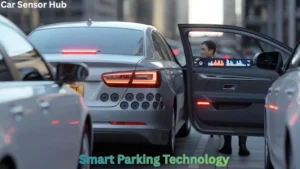
Turning parking sensors on or off can seem tricky. But it’s simpler than you think.
Parking sensors help drivers park safely. They alert you to obstacles. But sometimes you may want to turn them off. Maybe you’re driving in heavy rain, or your sensors are malfunctioning. Knowing how to control them is useful. This guide will help you understand how to turn parking sensors on and off.
It will make your driving experience smoother and safer. Keep reading to learn the easy steps.

Types Of Parking Sensors
When learning how to turn parking sensors on or off, understanding the types of parking sensors available can be quite helpful. Different sensors work in distinct ways, and knowing their functionalities can improve your parking experience. Let’s dive into the types of parking sensors you might encounter.
Ultrasonic Sensors
Ultrasonic sensors are quite common in modern vehicles. They use high-frequency sound waves to detect objects around your car. When these waves bounce back, the sensors calculate the distance to the object.
Have you ever noticed a beeping sound that gets faster as you get closer to an obstacle? That’s the ultrasonic sensor at work. They’re excellent for detecting objects directly behind or in front of your vehicle.
However, these sensors can sometimes be tricked by smaller or oddly-shaped objects. Ever tried parking and the sensor didn’t catch the curb? That’s a typical challenge with ultrasonic sensors.
Electromagnetic Sensors
Electromagnetic sensors, on the other hand, operate differently. They create an electromagnetic field around your car. When this field is disrupted by an object, the sensor alerts you.
These sensors are often hidden in the bumper, making them less visible. They are effective in detecting objects that are very close to the car, which can be a life-saver in tight parking spots.
One advantage is that electromagnetic sensors are less likely to be affected by dirt or weather conditions. Have you ever parked in heavy rain and your sensors still worked perfectly? That’s the power of electromagnetic sensors.
So, which type of sensor does your car have? Understanding this can help you make better parking decisions and avoid those dreaded bumps and scrapes.
Locating The Parking Sensor Controls
Finding the parking sensor controls in your car can be simple. Different cars have different ways to access these controls. We will guide you through the most common methods. This will help you turn the parking sensors on or off with ease.
Dashboard Controls
Many cars have parking sensor controls on the dashboard. Look for a button with a ‘P’ symbol, often with sound waves. This button usually enables or disables the parking sensors. The location of this button can vary. It can be near the steering wheel or the central console. Check the car manual if you cannot find it right away.
Settings Menu
Some modern cars have digital screens with a settings menu. You can control parking sensors through this menu. First, turn on the car’s display screen. Then, navigate to the settings or vehicle options. Look for an option labeled ‘Parking Sensors’ or similar. You can usually turn the sensors on or off from this menu. Follow the on-screen instructions to make changes.
Turning On Parking Sensors
Parking sensors can be a lifesaver, especially in tight spots or crowded areas. Knowing how to turn them on can make your parking experience much smoother. Let’s dive into the two common methods to activate these handy devices.
Using Physical Buttons
Many vehicles come equipped with physical buttons to control parking sensors. These buttons are often located on the dashboard or near the gear shift.
Look for a button that has a small icon depicting a car with radar waves. Press it, and your parking sensors should activate. You might hear a beep or see an indicator light confirming they are on.
In some cars, you need to hold the button down for a few seconds. Check your vehicle’s manual if you’re unsure. It’s quick and straightforward once you know where to look.
Using Vehicle’s Infotainment System
If your car has a modern infotainment system, turning on parking sensors could be just a few taps away. Start by accessing the main menu on your screen.
Navigate to the settings or vehicle options. Look for a section labeled ‘Parking Assistance’ or something similar. Tap it, and you should find an option to turn on your parking sensors.
This method is perfect if you enjoy using touchscreen controls. Plus, some systems allow you to customize how your sensors behave, adding more flexibility.
Have you ever struggled to park in a tight spot without sensors? Imagine how different it would be with these tools active. Give it a try and see how much easier parking becomes!
Which method do you prefer—physical buttons or infotainment systems? Share your thoughts and experiences. Your feedback could help others decide which method works best for them.

Image is taken from Youtube
Turning Off Parking Sensors
Parking sensors are incredibly useful tools. They help drivers avoid obstacles and make parking easier. Sometimes, though, you might want to turn them off. Maybe you’re in a crowded area, and the beeping is too loud. Or perhaps you’re working in your garage and don’t need the sensors. Whatever the reason, knowing how to turn parking sensors off can be helpful.
Using Physical Buttons
Many cars have a physical button to control the parking sensors. This button is often located on the dashboard. Look for a button with a “P” symbol or a car icon. Press it once to turn the sensors off. A light might indicate the sensors are off. Press the button again to turn them back on.
Using Vehicle’s Infotainment System
You can also use your car’s infotainment system to turn off the sensors. Start by accessing the main menu on your screen. Look for a settings option or a vehicle settings menu. Navigate to the parking assist or sensor settings. Select the option to turn the sensors off. Follow the same steps to turn them back on.
Troubleshooting Common Issues
Parking sensors are incredibly helpful, but like all technology, they can sometimes present issues. Understanding how to troubleshoot these common problems can save you time and frustration. Whether your sensors are malfunctioning or the system isn’t responding, knowing what to do can make a significant difference.
Sensor Malfunction
Have you ever noticed your parking sensors giving false alerts or no alerts at all? This could be due to dirt or debris blocking the sensor. Make sure to clean the sensors regularly with a soft cloth.
Another common issue might be a loose connection. Ensure all the wires are properly connected. You can also check the sensor settings in your car’s manual to ensure they are configured correctly.
Is the problem still there? It might be a good idea to get your car checked by a professional. Sometimes, sensors can fail and need replacement.
System Not Responding
Imagine you’re trying to park, but the sensors don’t seem to be working at all. This can be due to a software glitch. Restarting your car can sometimes reset the system.
Check if the parking sensor system is turned on in your car’s settings. It can be easy to overlook this step, especially if someone else has driven your car and changed the settings.
If the system is still not responding, you might want to check the car’s fuse box. A blown fuse can disable the parking sensors. Replacing the fuse could be your quick fix.
Have you ever faced these issues with your parking sensors? How did you resolve them? Share your experiences and tips in the comments below. Your insights could help others facing similar problems.

Credit: www.youtube.com
Maintenance Tips
Easily control your car’s parking sensors through the vehicle’s settings menu. Locate the sensors option and switch it on or off. This simple adjustment helps manage parking aids effectively.
Maintaining your parking sensors ensures they work correctly and last longer. Regular maintenance can save you from unexpected issues and costly repairs. Here are some practical tips to keep your parking sensors in top shape.
Regular Cleaning
Parking sensors can get dirty, especially in winter or rainy seasons. Dirt, mud, and snow can block the sensors, making them less effective. Make it a habit to clean them regularly. Use a soft, damp cloth to wipe the sensors gently. Avoid using harsh chemicals or high-pressure water jets, as they can damage the sensors.
Software Updates
Your car’s parking sensors may rely on software to function correctly. Manufacturers often release updates to improve performance and fix bugs. Check your vehicle’s manual or contact the manufacturer for information on software updates. Keeping your software up-to-date can prevent malfunctions and enhance sensor accuracy. Regular maintenance is key to ensuring your parking sensors remain reliable. Have you ever experienced issues with your parking sensors due to neglect? Share your stories and tips in the comments!
Frequently Asked Questions
Can Parking Sensors Be Turned Off?
Yes, you can turn off parking sensors. Most vehicles have a button or setting to disable them. Check your car’s manual for instructions.
How Do I Turn On Parking Sensors?
To turn on parking sensors, press the “P” button on your dashboard. Check your car’s manual for exact location.
How Do I Turn Off The Parking Sensor Sound?
To turn off the parking sensor sound, locate the sensor button on the dashboard. Press the button to disable the sound.
How Do I Turn Off Park Sense?
Press the ParkSense button on your dashboard. The indicator light will turn off, confirming ParkSense is deactivated.
Final Word
Turning parking sensors on or off is simple. Follow your car’s manual. Remember, sensors help in tight spaces. If unsure, consult a professional. Regularly check sensor functionality for safety. Drive safely and use your sensors wisely. Understanding these steps ensures better parking.
Disclosure: As an Amazon Associate, I may earn from qualifying purchases at no extra cost to you. Amazon and the Amazon logo are trademarks of Amazon.com, Inc, or its affiliates.
- Amazon, Amazon Prime, the Amazon logo and Amazon Prime logo are trademarks of Amazon. com, Inc. or its affiliates.

I am Sadman, the founder of CarSensorHub.com, where I share my passion for cars and technology. I specialize in writing detailed reviews and helpful guides on car gadgets, accessories, safety tools and many more. My mission is to help car owners discover the best products and tips to improve their driving experience and stay safe on the road.