Imagine cruising down the highway with your hands light on the wheel, stress melting away as your Tesla Model Y takes charge. Using Tesla Model Y Autopilot on the highway isn’t just about convenience—it’s about transforming your driving experience into something smoother, safer, and smarter.
If you want to unlock the full potential of this cutting-edge feature and know exactly how it works, what to expect, and how to stay in control, this guide is made just for you. Keep reading to discover how to make every highway drive effortless and enjoyable.
Credit: www.alamy.com
Tesla Model Y Autopilot Features
The Tesla Model Y Autopilot offers a set of features designed for safer, easier highway driving. These features help manage speed, steering, and distance from other cars. They reduce driver stress and improve comfort on long trips.
Each feature works together smoothly. They support the driver without taking full control. Understanding these features helps you use Autopilot with confidence.
Adaptive Cruise Control
Adaptive Cruise Control adjusts your speed automatically. It keeps a safe distance from the car ahead. If traffic slows down, your Model Y slows down too. When the road clears, it speeds up to the set limit. This helps avoid constant braking and accelerating.
Lane Centering
Lane Centering keeps your Model Y in the center of the lane. It uses cameras to detect lane markings. The car gently steers to stay in place. This reduces steering effort on long highway drives. It helps you avoid drifting out of your lane.
Traffic-aware Cruise Control
Traffic-Aware Cruise Control works with Adaptive Cruise Control. It monitors traffic around your car. It adjusts speed based on the flow of traffic. This feature helps maintain smooth driving in busy conditions. It reduces the need for manual speed changes.
Autosteer Function
The Autosteer function combines steering and speed control. It keeps your car centered and at a safe speed. The system follows curves and adjusts to road conditions. This lets you relax your hands on longer highway stretches. You stay alert and ready to take control anytime.
Read More: Tesla Model Y Tire Pressure Sensor Reset Guide
Preparing For Highway Autopilot
Preparing your Tesla Model Y for highway Autopilot is an important step. It helps you drive safer and with more confidence. Before you activate Autopilot, make sure the system is ready to perform well. This means checking updates, calibrating cameras, and setting your preferences. Each step takes only a few minutes but makes a big difference.
Checking System Updates
Keep your Tesla’s software up to date. Tesla often releases updates that improve Autopilot features. Updates fix bugs and add new functions. To check for updates, tap the Software tab on your touchscreen. Download and install any available updates before using Autopilot on the highway. Updated software ensures better accuracy and safety.
Calibrating Cameras And Sensors
The Model Y uses cameras and sensors to see the road. Calibration helps these devices work correctly. After any software update or service, calibration may be needed. Drive on clear roads at moderate speeds to let the car recalibrate. Proper calibration improves lane keeping and object detection. This step boosts Autopilot’s ability to respond to traffic.
Setting Speed And Distance Preferences
Choose your speed limit and following distance for Autopilot. The system can match the highway speed or stay below it. Adjust the distance between your car and others for comfort and safety. You can do this using the controls on the touchscreen or steering wheel. Setting these preferences makes your drive smoother and less stressful.
Activating Autopilot On Highway
Activating Autopilot on the highway in your Tesla Model Y makes driving easier and safer. The system helps control steering, speed, and distance from other cars. It works best on highways with clear lane markings. Knowing how to activate and use Autopilot properly is key to a smooth drive.
Engaging Autopilot Mode
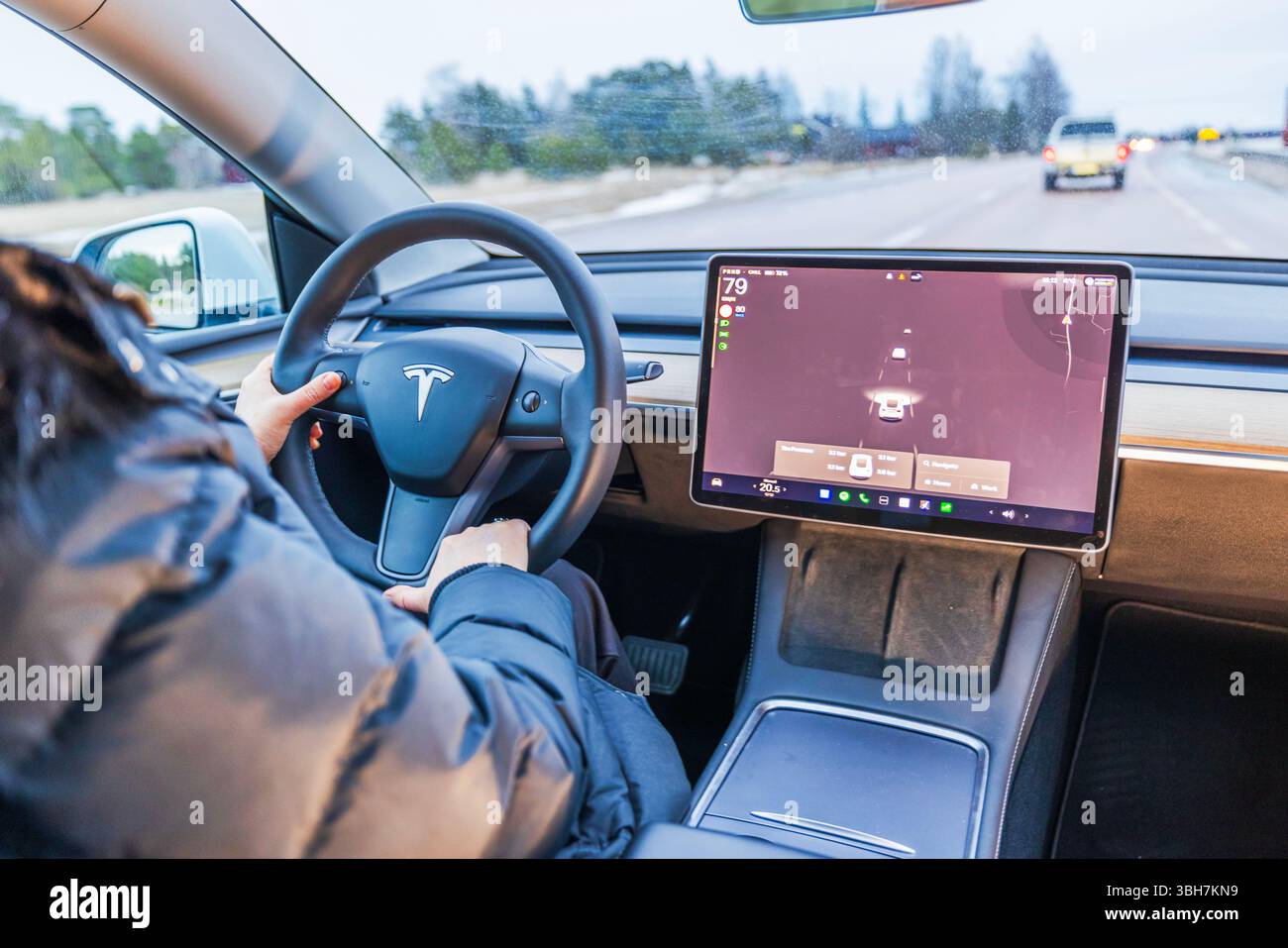
To engage Autopilot, first reach a speed above 18 mph. Then, pull the cruise control stalk down twice quickly. The system will take over steering and speed control. You will see a blue steering wheel icon on the dashboard. Always keep your hands on the wheel and stay alert.
Confirming Lane Detection
The car uses cameras to detect lanes. The lane lines appear in blue on the display when detected. If lane markings are unclear, the system may not activate. Check that the road is suitable before using Autopilot. Clear lane detection is important for safe driving.
Using Navigate On Autopilot
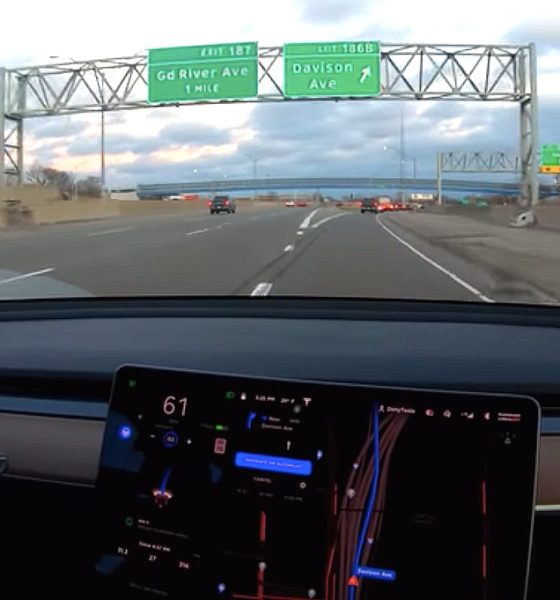
Navigate on Autopilot guides your car from on-ramp to off-ramp. It suggests lane changes and adjusts speed for exits and curves. Activate it through the navigation settings. This feature helps you follow your route smoothly. Stay ready to take control at any moment.
Credit: www.teslarati.com
Safety Tips While Using Autopilot
Using Tesla Model Y Autopilot on highways can make driving easier and less tiring. Safety remains the top priority while using this technology. Follow these simple tips to stay safe and keep control.
Maintaining Driver Attention
Always stay alert and focused on the road. Autopilot helps with driving but does not replace you. Watch the traffic and be ready to act quickly. Avoid distractions like phones or loud music. Your attention is key to safe driving.
Hands On The Wheel
Keep your hands on the wheel at all times. The system needs you to guide it if needed. Tesla’s sensors check for your hands regularly. If your hands leave the wheel too long, Autopilot will warn you. Respond to these alerts promptly to keep control.
Monitoring Surroundings
Check mirrors and blind spots often. Autopilot can miss some objects or sudden changes. Watch for other vehicles, pedestrians, and road signs. Scan the road ahead to spot potential hazards early. Staying aware helps you react faster.
Avoiding Complex Traffic Scenarios
Use Autopilot mainly on clear highways with steady traffic. Avoid busy city streets, heavy traffic, or sharp turns. Complex situations may confuse the system. Take manual control in tricky conditions. This choice keeps you and others safer.
Handling Emergencies And Overrides
Handling emergencies and overrides while using Tesla Model Y Autopilot on the highway is crucial. The system helps with driving but does not replace the driver’s attention. Knowing how to take control quickly keeps everyone safe. This section explains key steps to manage emergencies and override the Autopilot smoothly.
Manual Override Procedures
Taking manual control is simple but important. Grasp the steering wheel firmly to signal the system. Press the brake pedal gently to slow down or stop. These actions immediately deactivate Autopilot. Be ready to steer and brake yourself at all times. Practice these steps so you react fast in emergencies.
Recognizing System Alerts
Autopilot sends alerts to warn drivers of needed action. Listen for sounds and watch for flashing icons on the dashboard. Alerts prompt you to keep hands on the wheel or take over driving. Ignoring alerts can cause system deactivation. Stay alert and respond as soon as an alert appears.
Responding To Sudden Road Hazards
Road hazards can appear without warning. Autopilot may not always react fast enough. Scan the road constantly for obstacles, vehicles, or debris. If a hazard appears, take control immediately. Brake or steer to avoid danger safely. Always be ready to act quickly to protect yourself and others.
Common Autopilot Limitations
The Tesla Model Y Autopilot offers a smooth driving experience on highways. It can steer, accelerate, and brake automatically. Still, it has some limits that drivers should know. These limits affect safety and performance. Understanding them helps you use Autopilot better and stay alert.
Weather Conditions Impact
Rain, fog, snow, and bright sunlight reduce Autopilot’s effectiveness. Sensors may not see lane markings clearly. Roads can become slippery, making stopping harder. Autopilot might slow down or stop working. Drivers must pay close attention during bad weather.
Road Type Restrictions
Autopilot works best on highways with clear lanes and signs. It struggles on city streets, narrow roads, and construction zones. Sharp turns and complex intersections confuse the system. Autopilot may not handle these areas safely. Manual control is necessary in such places.
Sensor Blind Spots
The Model Y uses cameras, radar, and ultrasonic sensors. Each has limits and blind spots. Objects close to the car or in certain angles can be missed. Small or low obstacles may go undetected. Drivers must watch the road and check mirrors often.
Legal And Ethical Considerations
Using Tesla Model Y Autopilot on highways brings legal and ethical questions. Drivers must understand the rules and responsibilities. This section explains key points about laws, liability, and ethical driving.
Local Traffic Laws
Traffic laws about Autopilot differ by place. Some areas allow full use, others restrict it. Drivers must check local rules before using Autopilot. Obeying speed limits and lane rules is a must. Ignoring laws can cause fines or accidents.
Liability In Autopilot Use
Accidents with Autopilot raise questions about who is responsible. Tesla states drivers must stay alert and ready to take control. If a crash happens, driver liability often applies. Insurance companies may also investigate Autopilot use. Clear understanding avoids legal troubles.
Ethical Driving Practices
Ethics matter when using Autopilot on highways. Drivers should never rely fully on the system. Staying attentive helps prevent risks to others. Avoid distractions like phones or eating while Autopilot is active. Respect for other road users keeps everyone safe.

Credit: www.shutterstock.com
Optimizing Autopilot For Efficiency
Optimizing Autopilot for efficiency helps you get the most from your Tesla Model Y on highways. Using Autopilot smartly can save energy and extend your driving range. Small changes in how you use the system can make a big difference in power use.
Efficiency means less charging time and more time on the road. It also means your car runs smoother and safer. Learning how to adjust settings and plan routes helps you use Autopilot better.
Energy Saving Techniques
Set a steady speed close to the highway limit for smooth driving. Avoid sudden accelerations or hard braking. Use cruise control with Autopilot to keep speed constant. This reduces battery use and tire wear. Turn off unnecessary features like air conditioning in mild weather. Keep tires properly inflated to lower rolling resistance. These small steps improve your energy use significantly.
Route Planning With Autopilot
Plan your highway routes to avoid heavy traffic and frequent stops. Autopilot works best on clear, open roads. Use Tesla’s navigation to choose the fastest and most efficient path. Avoid routes with many merges or sharp turns. Smooth driving means less battery drain. Consider charging points along your route for long trips. This helps keep your journey stress-free and efficient.
Software Updates Impact
Tesla regularly releases software updates to improve Autopilot. Updates often include better energy management and new features. Keep your car’s software up to date for best performance. Updates can enhance safety and efficiency on highways. They may also add new settings to customize your driving experience. Regular updates help your Model Y stay efficient over time.
Final Tone
Using Tesla Model Y Autopilot on highways can make driving easier. It helps keep the car in the lane and controls speed well. Still, drivers must stay alert and watch the road. Autopilot assists but does not replace full attention.
Always be ready to take control when needed. This feature adds safety but depends on careful use. Drive smart, stay safe, and enjoy your journey.
Frequently Asked Questions Of Using Tesla Model Y Autopilot on Highway
How Does Tesla Model Y Autopilot Work On Highways?
Tesla Model Y uses cameras and sensors to detect lanes and cars. It keeps the car centered and adjusts speed automatically. This helps reduce driver effort on long highway drives.
Is Tesla Model Y Autopilot Safe For Highway Driving?
Tesla’s Autopilot is designed to improve safety by reducing driver errors. Drivers must stay alert and keep hands on the wheel. It assists but does not replace full driver attention.
Can Tesla Model Y Autopilot Change Lanes Automatically?
Yes, Autopilot can change lanes when the driver signals. It checks for cars and moves safely into the new lane. This feature helps with smooth and safe highway driving.
What Speed Limits Does Tesla Model Y Autopilot Follow?
Autopilot matches the highway speed limit or set speed by the driver. It uses traffic-aware cruise control to adjust speed for traffic flow. This keeps the ride smooth and safe.
Does Tesla Model Y Autopilot Work In Heavy Traffic?
Autopilot handles stop-and-go traffic by slowing and stopping the car. It resumes driving when traffic moves again. This reduces stress during busy highway conditions.
How Do I Activate Autopilot On Tesla Model Y Highways?
To activate, pull the cruise control stalk twice down while driving on a highway. The system will show Autopilot is active on the screen. Always stay ready to take control anytime.
Disclosure: As an Amazon Associate, I may earn from qualifying purchases at no extra cost to you. Amazon and the Amazon logo are trademarks of Amazon.com, Inc, or its affiliates.
- Amazon, Amazon Prime, the Amazon logo and Amazon Prime logo are trademarks of Amazon. com, Inc. or its affiliates.

I am Sadman, the founder of CarSensorHub.com, where I share my passion for cars and technology. I specialize in writing detailed reviews and helpful guides on car gadgets, accessories, safety tools and many more. My mission is to help car owners discover the best products and tips to improve their driving experience and stay safe on the road.