Your Chevrolet Tahoe’s maintenance light just came on, and now you’re wondering what to do next. Ignoring it isn’t a good idea, but taking your vehicle to the mechanic every time can be costly and time-consuming.
What if you could reset that light yourself in just a few simple steps? Imagine saving money and feeling confident about keeping your Tahoe in top shape. In this guide, you’ll learn exactly how to reset the maintenance light quickly and easily—no special tools or technical skills needed.
Keep reading, and you’ll have your Tahoe’s dashboard looking clean again in no time.
Maintenance Light Basics
The maintenance light on a Chevrolet Tahoe is a helpful signal. It tells you when the vehicle needs a service or checkup. Understanding this light helps you keep the car in good shape. It also prevents bigger problems later. Let’s explore what the maintenance light means and when it usually shows up.
Purpose Of The Maintenance Light
The maintenance light reminds you to do routine car care. This includes oil changes, filter replacements, and inspections. It helps keep the engine running smoothly. Ignoring this light can cause damage and costly repairs. The light aims to protect your Tahoe and extend its life.
When The Light Usually Appears
The light usually comes on after a set number of miles. It may also appear after a certain time period without service. Sometimes, it shows up if the vehicle senses a problem. The light helps you know the right time to visit the mechanic. It appears on the dashboard as a small icon or message.

Credit: www.hendrickchevroletbirmingham.com
Preparing To Reset
Preparing to reset the maintenance light on your Chevrolet Tahoe is the first step. It ensures the reset process works correctly. Skipping preparation can cause errors or false alerts. Follow a few simple steps before resetting the light.
This helps keep your vehicle in good condition and avoids unnecessary trips to the mechanic.
Check The Owner’s Manual
Start by reading the owner’s manual carefully. It has specific instructions for your Tahoe model. The manual shows the exact reset steps and warnings. It also explains what each maintenance light means. Keep the manual handy during the reset process.
Ensure All Maintenance Is Done
Resetting the maintenance light without completing service is not safe. Check that oil changes and other services are up to date. Confirm that filters, fluids, and brakes are inspected. This step avoids ignoring important repairs. Reset only after all maintenance tasks are finished.
Resetting The Light Manually
Resetting the maintenance light manually on a Chevrolet Tahoe is a simple task. It helps clear the reminder after a service or oil change. This process differs between newer and older models. Knowing the right steps saves time and avoids confusion.
Using The Instrument Panel Buttons
The instrument panel buttons control many dashboard functions. You use them to reset the maintenance light. Usually, these buttons include a menu or trip button and an OK or set button. The process involves navigating through the dashboard menu to find the reset option.
Steps For 2015 And Newer Models
Turn the ignition to the ON position without starting the engine. Press the menu or arrow buttons on the steering wheel to reach the vehicle information screen. Find the oil life or maintenance section. Press and hold the OK or set button until the light blinks or resets. Turn off the ignition to finish the process.
Steps For Older Models
Turn the ignition to the ON position without starting the engine. Press the gas pedal fully three times within five seconds. Watch the maintenance light; it will start blinking or go off. If the light stays on, repeat the steps. Turn off the ignition to complete the reset.
Using A Diagnostic Tool
Using a diagnostic tool is a smart way to reset the maintenance light on your Chevrolet Tahoe. These tools connect to your vehicle’s computer system. They read error codes and allow you to clear them. This method gives you control over the reset process. It also helps in identifying other possible issues.
Diagnostic tools are easy to use. They save time and effort compared to manual resets. Even beginners can handle them with little practice. Here is how to use a diagnostic tool to reset the maintenance light.
Obd-ii Scanner Basics
An OBD-II scanner is the most common diagnostic tool. It plugs into the vehicle’s OBD-II port, usually under the dashboard. This port gives access to your Tahoe’s engine computer. The scanner reads data and shows trouble codes on its screen.
Most OBD-II scanners are simple and affordable. They come with a cable and a small display. Some advanced models offer Bluetooth connection to a phone app. This makes it easier to read and clear codes. Knowing how to operate this scanner is essential for resetting the maintenance light.
Resetting Through A Scan Tool
Start by turning off your Chevrolet Tahoe’s engine. Find and plug the OBD-II scanner into the port. Turn on the scanner and your vehicle’s ignition to the “On” position. Do not start the engine yet.
Use the scanner menu to select “Read Codes.” The tool will display any stored trouble codes. After noting any codes, navigate to “Clear Codes” or “Reset.” Confirm your choice to erase the codes. The maintenance light should turn off after this step.
Turn off the ignition and remove the scanner. Start your Tahoe to check if the light is off. If the maintenance light stays on, repeat the process or consider a professional check.
Common Issues And Fixes
Resetting the maintenance light on a Chevrolet Tahoe can sometimes bring up issues. These problems often confuse drivers and cause frustration. Understanding common issues helps fix the problem faster. This section explains the most frequent problems and how to solve them.
Light Won’t Reset
Sometimes, the maintenance light stays on even after reset steps. This happens if the reset process is not done correctly. Make sure the ignition is in the right position during reset. Check the owner’s manual for the exact reset steps.
Another cause is a faulty sensor or a wiring issue. A mechanic can test the sensors and wiring. Replacing damaged parts often solves the problem.
Maintenance Light Comes Back Soon
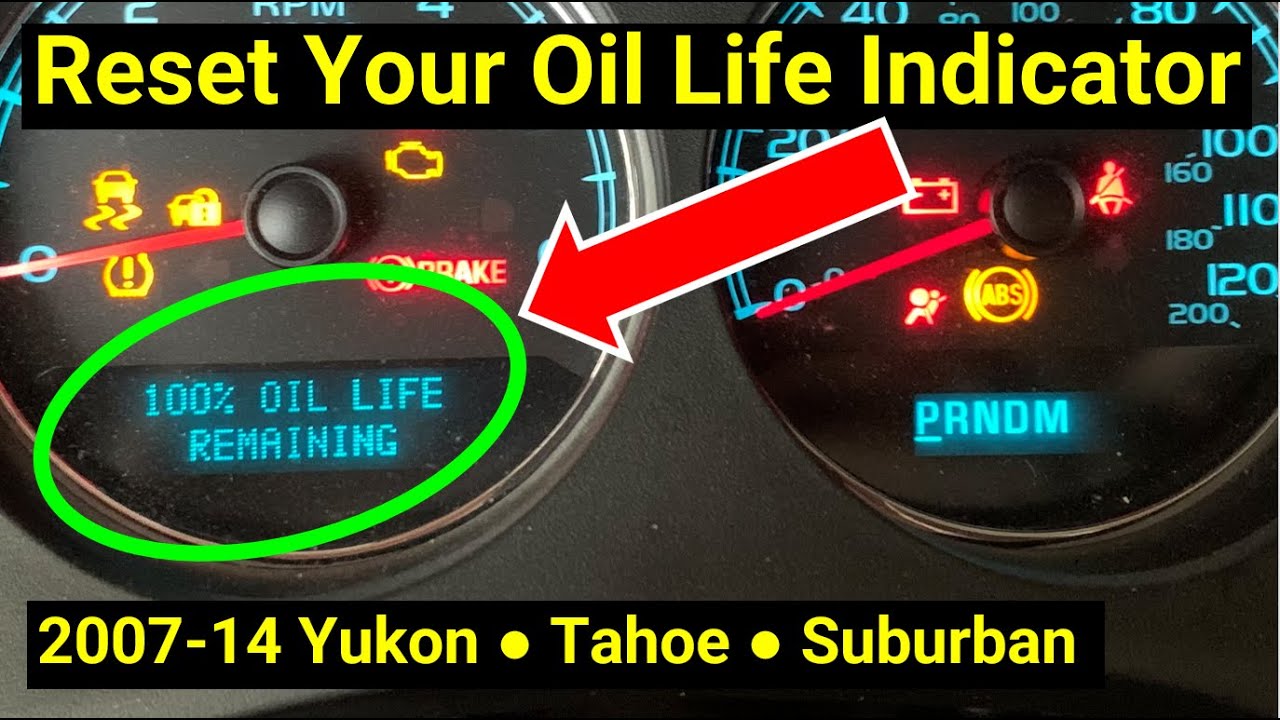
The light may turn off but returns after a short time. This usually means the maintenance task was not completed properly. The system detects that the service is still needed.
Check if the oil change or other services were done correctly. Use the right oil type and follow the service schedule. If the light persists, visit a service center for a full diagnosis.
Credit: www.youtube.com
Tips To Avoid Future Resets
Resetting the maintenance light on your Chevrolet Tahoe is simple. Avoid frequent resets by taking good care of your vehicle. Proper care helps keep your Tahoe running smoothly. It also reduces the need to reset the maintenance light often.
Follow these tips to keep your maintenance light off longer. They help you save time and avoid surprises on the road.
Regular Maintenance Schedule
Stick to the maintenance schedule in your Tahoe’s owner manual. Change the oil and filters on time. Check tire pressure and brakes regularly. Routine checks prevent issues that trigger the maintenance light. Keep your vehicle in good shape with planned care.
Keep Records Of Services
Write down every service and repair for your Tahoe. Use a notebook or digital app to track dates and work done. Service records help you remember when the next check is due. They also help mechanics understand your vehicle’s history. Clear records prevent missed maintenance and light resets.

Credit: www.campchevrolet.com
Frequently Asked Questions
How Do I Reset The Maintenance Light On A Chevrolet Tahoe?
To reset the maintenance light, turn the ignition to “On” without starting. Press the accelerator pedal fully three times within five seconds. Turn off the ignition and then start the engine. The maintenance light should now be reset.
When Should I Reset The Maintenance Light On My Tahoe?
Reset the maintenance light after completing scheduled services like oil changes or tire rotations. This ensures the system accurately tracks the next maintenance interval, helping you maintain your vehicle’s health and performance.
Can I Reset The Maintenance Light Without A Scan Tool?
Yes, you can reset the maintenance light manually without a scan tool. Use the ignition and accelerator pedal method described in the owner’s manual or blog post. This is a simple and effective way to reset it yourself.
What If The Maintenance Light Stays On After Reset?
If the maintenance light stays on, double-check if all required services are completed. There might be an unresolved issue or sensor malfunction needing professional diagnosis or repair at a dealership or trusted mechanic.
Conclusion
Resetting the maintenance light on your Chevrolet Tahoe is simple. Follow the steps carefully and take your time. This helps keep your vehicle running smoothly. Regular resets show you care about your car’s health. Remember, the light is a reminder, not a warning.
Stay on top of maintenance for better performance. Your Tahoe will thank you with a longer life. Easy to do, important to know. Keep this guide handy for future use. You’ve got this!
Disclosure: As an Amazon Associate, I may earn from qualifying purchases at no extra cost to you. Amazon and the Amazon logo are trademarks of Amazon.com, Inc, or its affiliates.
- Amazon, Amazon Prime, the Amazon logo and Amazon Prime logo are trademarks of Amazon. com, Inc. or its affiliates.

I am Sadman, the founder of CarSensorHub.com, where I share my passion for cars and technology. I specialize in writing detailed reviews and helpful guides on car gadgets, accessories, safety tools and many more. My mission is to help car owners discover the best products and tips to improve their driving experience and stay safe on the road.


