Every vehicle owner wants to feel safe on the road, and your GMC Sierra 1500 is no exception. Brake maintenance is one of the most important ways to keep your truck reliable, especially if you use it for towing, hauling, or daily commutes. With basic tools, some time, and careful steps, you can manage much of the brake care yourself. This guide will help you understand, inspect, and maintain your Sierra’s brakes even if you’re not a professional mechanic.
Why Brake Maintenance Matters
Brakes are the first line of defense in an emergency. Worn or damaged brakes can increase stopping distance and lead to accidents. For the GMC Sierra 1500, regular brake checks are critical because it’s a heavy vehicle and often works hard. If you keep up with brake maintenance, you can:
- Avoid expensive repairs
- Improve safety
- Extend the life of your brake system
- Keep your truck running smoothly
Most drivers miss early signs of brake wear. For example, a small squeak or soft pedal feel might not seem urgent, but these are important warnings that should not be ignored.
Key Brake System Components
Understanding your Sierra’s brake system helps you spot problems early. The main parts are:
- Brake pads: Create friction against the rotors to stop the truck.
- Brake rotors (discs): Spin with the wheels; brake pads clamp onto these.
- Brake calipers: Hold the pads and squeeze them against the rotors.
- Brake lines and hoses: Carry brake fluid pressure to each wheel.
- Brake fluid: Transfers force from your foot to the brakes.
If any of these parts fail or wear out, your Sierra’s brakes will not work properly. For example, a leak in the brake line can lead to a sudden loss of braking.
Signs Your Brakes Need Attention
Even if you don’t drive far or tow heavy loads, brake parts wear out over time. Look out for these signs:
- Squealing or grinding noises
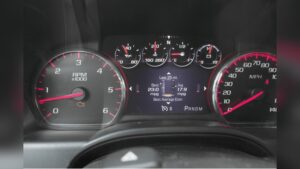
- Brake warning light on the dashboard
- Vibration when braking
- Soft or spongy brake pedal
- Truck pulls to one side when braking
If you notice any of these, it’s time to inspect your brakes.
Tools And Supplies You’ll Need
Before you start, gather these items:
- Jack and jack stands
- Lug wrench
- Socket set
- C-clamp or brake caliper tool
- Brake cleaner spray
- New brake pads (and rotors if needed)
- Brake fluid (DOT 3 or DOT 4, check your manual)
- Wrench set
- Work gloves and eye protection
Some Sierra models have electronic parking brakes. If yours does, you might need a special reset tool.
Preparing Your Work Area
Park your Sierra on a flat surface. Set the parking brake and block the wheels. Loosen the lug nuts before lifting the truck with a jack, then secure it with jack stands. Never work under a vehicle supported only by a jack.
Step-by-step Brake Inspection
1. Remove The Wheels
Use a lug wrench to loosen the lug nuts, then take the wheel off to reach the brakes.
2. Inspect Brake Pads
Check the thickness of the brake pads. If the friction material is less than 1/4 inch, replace them. If you see uneven wear, it could mean the caliper or hardware needs attention.
3. Check Rotors
Look for deep grooves, cracks, or blue spots on the rotors. Use your finger (when cool) to feel for ridges. Some light scoring is normal, but deep grooves or warping means the rotors should be resurfaced or replaced.
4. Inspect Calipers And Hardware
Look at the caliper for leaks or torn boots. Make sure the caliper slides move freely. Sticking calipers can cause uneven pad wear and poor braking.
5. Examine Brake Lines
Check the brake lines and hoses for leaks, cracks, or bulges. Even small leaks can cause a loss of brake pressure.
6. Check Brake Fluid Level
Open the hood and check the brake fluid reservoir. If the fluid is dark or below the “MIN” line, top it up with the correct fluid. Never let dirt or water get into the brake fluid.

Credit: www.youtube.com
How To Replace Brake Pads And Rotors
If your inspection shows the pads or rotors are worn, here’s how to replace them:
1. Remove Caliper
Use a socket or wrench to remove the caliper bolts. Carefully slide the caliper off the rotor and hang it with a piece of wire (do not let it dangle by the brake hose).
2. Remove Old Pads
Take out the old brake pads from the caliper bracket. Note how they fit so you can install the new ones correctly.
3. Replace Or Resurface Rotors
Slide the rotor off the hub. If it is stuck, tap gently with a rubber mallet. Replace with a new rotor or have your old one resurfaced if within thickness limits.
4. Install New Pads
Compress the caliper piston using a C-clamp or brake tool. This creates space for the new, thicker pads. Insert the new pads into the bracket.
5. Reinstall Caliper
Slide the caliper back over the rotor and pads. Tighten the bolts to the manufacturer’s specifications.
6. Reinstall Wheel
Put the wheel back, hand-tighten the lug nuts, lower the truck, then torque the nuts to the correct setting.
7. Pump Brake Pedal
Before driving, pump the brake pedal several times to seat the pads and restore pressure.
Bleeding The Brakes
Air in the brake lines can cause a soft pedal. To bleed the brakes:
- Fill the brake fluid reservoir.
- Have a helper press the pedal while you open the bleeder valve at each wheel (start with the wheel farthest from the master cylinder).
- Close the valve before the pedal comes up.
- Repeat until only clear fluid comes out with no bubbles.
Dispose of old brake fluid safely.

Credit: www.lutherauto.com
How Often To Check And Replace
Your Sierra’s brake pads usually last 30,000 to 70,000 miles, depending on driving style and conditions. Rotors may last longer, but hard driving or towing wears them faster. Check brakes at every oil change, and always before a long trip.
Here’s a simple mileage guide:
| Brake Part | Check Interval | Replacement Interval |
|---|---|---|
| Brake Pads | Every 10,000 miles | 30,000–70,000 miles |
| Rotors | Every 20,000 miles | 50,000–70,000 miles |
| Brake Fluid | Check every oil change | Every 2–3 years |
Common Mistakes To Avoid
- Skipping cleaning: Failing to clean brake parts can cause noise or uneven wear.
- Not torquing bolts: Over-tightening or under-tightening caliper bolts can cause damage or safety issues.
- Using wrong fluid: Mixing brake fluid types can damage seals.
- Ignoring warning signs: Even a small noise or vibration can mean a big problem.
DIY Vs. Professional Service
Most Sierra owners can replace pads and rotors with basic tools and care. However, if you’re not comfortable with brake work, or if you find leaks, damaged lines, or ABS issues, let a professional handle it. Brakes are too important to risk mistakes.
Here’s a quick comparison:
| DIY Brake Work | Professional Service |
|---|---|
| Lower cost | Higher cost |
| More control | Expertise and warranty |
| Time-consuming | Faster turnaround |
| Requires proper tools | Special tools available |
Extra Tips For Sierra Owners
- Always break in new pads and rotors by gentle stops for the first 300 miles.
- Rotate tires and check brakes at the same time to save effort.
- If you tow or haul heavy loads, check brakes more often.
- Wet weather can cause temporary noise—if it lasts, inspect for real problems.
- Consider upgrading to heavy-duty pads if you use your Sierra for towing.
When To Upgrade Your Brakes
If you often tow heavy trailers or drive in mountains, standard pads may not last long. Upgrades like ceramic pads, slotted rotors, or stainless steel lines can improve performance and safety. However, upgrades are only as good as your installation and maintenance.
Where To Find Reliable Parts And Advice
Always use high-quality parts from trusted brands. Cheap, low-quality pads can wear out quickly and damage rotors. Your local auto parts store or the official GMC website can help match parts to your VIN.
For more information on brake systems, visit the National Highway Traffic Safety Administration.

Credit: www.youtube.com
FAQs DIY GMC Sierra 1500 Brake Maintenance Guide
How Do I Know If My Gmc Sierra 1500 Needs New Brake Pads?
Listen for squealing or grinding, check for thin pads (less than 1/4 inch), and watch for a warning light. If in doubt, inspect the pads directly.
What Brake Fluid Should I Use?
Use DOT 3 or DOT 4 brake fluid. Check your owner’s manual to confirm. Never mix types.
Can I Drive With Worn-out Rotors?
It’s not safe. Worn or grooved rotors reduce stopping power and can damage new pads. Replace or resurface rotors as needed.
How Much Does A Brake Job Cost On A Sierra 1500?
DIY brake pad and rotor replacement usually costs $150–$350 in parts. A shop may charge $400–$700 or more, depending on parts and labor.
How Often Should I Bleed My Brakes?
Bleed your brakes every 2–3 years or if you notice a soft pedal. Always bleed them after replacing brake lines or calipers.
Taking charge of your GMC Sierra 1500’s brake maintenance can save money and give you peace of mind. Regular checks, quality parts, and careful work will keep your truck safe for years. If you’re ever unsure, ask a trusted mechanic for help—your safety is worth it.
Disclosure: As an Amazon Associate, I may earn from qualifying purchases at no extra cost to you. Amazon and the Amazon logo are trademarks of Amazon.com, Inc, or its affiliates.
- Amazon, Amazon Prime, the Amazon logo and Amazon Prime logo are trademarks of Amazon. com, Inc. or its affiliates.

I am Sadman, the founder of CarSensorHub.com, where I share my passion for cars and technology. I specialize in writing detailed reviews and helpful guides on car gadgets, accessories, safety tools and many more. My mission is to help car owners discover the best products and tips to improve their driving experience and stay safe on the road.