Here’s the verdict first: the BlueDriver is a strong pick if you want to read and clear trouble codes from your phone, and it’s a weaker one if you need a full dealer-level workshop tool. The listing sells it as a wireless scanner that works with a phone or tablet and covers a wide set of fault systems, with no ongoing subscription. Whether it fits your car depends mostly on the make, model and year you drive, and on what kind of diagnosis you plan to do. This review walks through the details so you can decide for yourself.
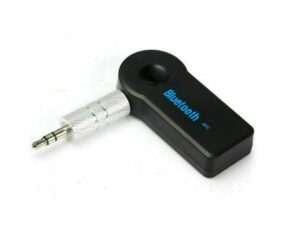
The BlueDriver OBD2 Scanner Bluetooth is a small sensor that plugs into the OBDII port under your dashboard. It pairs with your phone or tablet over Bluetooth, and the app does the reading. Its job is to tell you why the check engine light is on, and to help you clear codes once a repair is done. The listing leads with three things: codes read and cleared across more systems than basic readers, live data while you drive, and repair reports tied to your vehicle’s VIN. Everything here comes from the manufacturer’s listing. I have not used, tested or measured this product myself.
Who it suits: a car owner who wants to understand a warning light before paying a shop, or a home mechanic who already has a phone that stays in the car. Its wireless design means no cable to tangle, and the listing says the app and its updates are included. Who should skip it: someone who needs to program modules or run advanced bi-directional tests.

- Professional OBD2 scanner that reads and clears codes
- Reads codes beyond basic readers, including ABS, SRS, TPMS
- Unlimited technician-verified repair reports matched to your VIN
- Bluetooth sensor plugs into OBDII port, no wires
BlueDriver Scanner: What It Offers
The BlueDriver is built around a few jobs a driver actually wants done. Each group below lists what the manufacturer says the product does and the limit the listing attaches to it.
Finding out why the light is on
The listing says the scanner reads codes for Check Engine, ABS, SRS, Airbag, TPMS and Transmission systems. That is broader than engine codes alone. In daily use, this means a dashboard light from the brakes or airbags can be checked without going to a shop first.
Reading the code is only the first step. A code tells you which system reported a fault, not necessarily which part failed, so the repair report is what helps you narrow the search. The listing does not say which systems apply to your particular car, so check the compatibility chart before you rely on it for a specific fault.
Reading live data and reports
The app shows live vehicle data as you drive, plus freeze frames and smog readiness status. A freeze frame is a snapshot of sensor readings taken when the fault was recorded, which can show whether the problem happened at a steady speed, during acceleration or while the engine was cold. Smog readiness status shows whether the car’s emissions monitors have completed their self-tests, which matters if you are preparing for an inspection.
The listing describes unlimited technician-verified repair reports matched to your VIN, with definitions, likely causes and confirmed fixes. For a driver, the report is the most practical part: it turns a cryptic code into a short list of things to check. The manufacturer does not explain how the report library is kept current, so treat the report as a starting guide rather than a final answer.
Bluetooth OBD2 Scanner Without Wires or Subscriptions
The sensor connects by Bluetooth, so you do not need a cable running to your phone or tablet. The listing says the purchase is one-time, with no subscriptions, no add-on fees and no required account. Free app updates are included. The listing also says your personal data is not sold.
Free app updates are included, without giving a time frame. Support is listed as available 24/7 for North America by phone or in-app chat, which is useful if you run into trouble during a repair.
Covering a wide range of vehicles
The listing says the scanner works with gas-powered vehicles from 1996 or newer sold in North America, and it names strong support for GM, Ford, Stellantis, Toyota, Honda, Nissan, Mazda, Subaru, Hyundai, Mercedes-Benz, BMW and VW. Diesel vehicles are not mentioned, so do not assume they are covered.
| # | What Amazon lists |
|---|---|
| 1 | [Diagnose Like a Pro] BlueDriver Pro is a professional OBD2 scanner and diagnostic tool that helps you scan, understand, and clear vehicle trouble codes with confidence. Turn your phone into a powerful car diagnostic scanner—no guesswork, no unnecessary repairs. |
| 2 | [Read and Clear More Codes Than Ever] Read and clear more codes than basic car code readers. Access enhanced diagnostics for Check Engine, ABS, SRS, Airbag, TPMS, Transmission. |
| 3 | [Verified Fixes and Real-Time Data] Get unlimited, technician-verified repair reports matched to your VIN, with definitions, causes, and confirmed fixes. Monitor live vehicle data as you drive, view freeze frames, check smog readiness, and analyze Mode 6 test results. |
| 4 | [Wireless & Bluetooth Enabled] – Say goodbye to wires. BlueDriver connects with Bluetooth via your phone/tablet to a sensor that plugs into your car’s OBDII port. Get all of the capabilities of an expensive code reader & scan tool without any annoying wires. |
| 5 | [Broad Make & Model Coverage] Strong support for GM, Ford, Stellantis (RAM, Jeep, Chrysler), Toyota, Honda, Nissan, Mazda, Subaru, Hyundai, Mercedes-Benz, BMW, and VW. |
| 6 | [Works with Gas Vehicles 1996+ Sold in North America (U.S., Canada & Mexico)] – BlueDriver is compatible with all gas-powered vehicles made in 1996 or newer. See our website or chart below for more details. |
| 7 | [No Wires, No Hardware Hassle] This Bluetooth OBD2 scanner plugs directly into your vehicle’s OBDII port and connects wirelessly to your phone or tablet. Get professional-grade diagnostics without bulky cables or expensive handheld scan tools. |
| 8 | [No Subscription Fees — Ever] One-time purchase includes full access to all features. No subscriptions, no add-ons, no accounts required, and no selling of personal data. Free app updates included. |
Pros and Cons
Pros
- Reads and clears codes across ABS, SRS, TPMS and transmission
- Wireless Bluetooth connection, no cable under the dash
- One-time purchase with no listed subscription fees
- Repair reports matched to your VIN
- Live data and freeze frame views in the app
Cons
- Listed only for gas vehicles from 1996 or newer
Is the BlueDriver Worth Owning?
Buy the BlueDriver if your car is a gas model from 1996 or later, from one of the brands the listing names, and you want to understand warning lights and clear codes yourself. It is a good fit for a driver who keeps a phone in the car and does simple checks at home. The one-time, no-subscription design also suits someone who wants to avoid recurring fees.
Start by checking the three conditions before you spend anything. The listing says the scanner works with gas-powered vehicles made in 1996 or newer, sold in the U.S., Canada and Mexico. It also gives strong support for GM, Ford, Stellantis (RAM, Jeep, Chrysler), Toyota, Honda, Nissan, Mazda, Subaru, Hyundai, Mercedes-Benz, BMW and VW. If your car matches all three, you are in the group the tool was built for.
The phone part matters as much as the car. The scanner plugs into the OBDII port and talks to an iPhone, Android phone or tablet over Bluetooth, so the app is where you read codes and live data. If you would rather use a dedicated handheld screen, that is a different kind of tool.
Who is the wrong buyer? Skip it if your vehicle is a diesel, if it is older than 1996, or if you need advanced programming or bi-directional control. For those jobs, the listing does not show the features you would need. Look for a tool that names those functions in its own listing.
Your decision comes down to your vehicle’s age, fuel type and make, and the kind of diagnosis you plan to do.
FAQs About BlueDriver Pro OBD2 Scanner Review
Do I need to pay anything after I buy it?
No, according to the listing. It describes a purchase you pay for once, with full access to all features, no subscriptions, no add-ons and no required account. Free app updates are included. The listing does not say how long those updates will continue, so ask the manufacturer if that matters to you.
Will it work with my phone?
The listing says it connects by Bluetooth to a phone or tablet, and names iPhone and Android.
Does it work on my car?
The listing says it covers all gas vehicles made in 1996 or newer sold in North America, with strong support for the makes it names. Diesel vehicles are not mentioned. Check the compatibility chart for your exact make and model before you buy.
Is a code reader like this worth owning at all?
It can be, if you want to understand a warning light before you visit a shop. A reader does not repair anything. It tells you what the car’s computer has recorded, and you still need to diagnose and fix the cause. If you rarely see warning lights, a simpler reader may be enough for your needs.
The scanner plugs into the car’s OBDII port, as the listing describes.
Conclusion
Before you buy, check the BlueDriver’s compatibility list against your exact vehicle, and read a few owner reviews from people with the same make and year. If your car matches and you mainly want to read codes, see what your phone app can show you during a test drive. You’ll know quickly whether it’s the right tool for your garage.
Disclosure: As an Amazon Associate, I may earn from qualifying purchases at no extra cost to you. Amazon and the Amazon logo are trademarks of Amazon.com, Inc, or its affiliates.
- Amazon, Amazon Prime, the Amazon logo and Amazon Prime logo are trademarks of Amazon. com, Inc. or its affiliates.

I am Sadman, the founder of CarSensorHub.com, where I share my passion for cars and technology. I specialize in writing detailed reviews and helpful guides on car gadgets, accessories, safety tools and many more. My mission is to help car owners discover the best products and tips to improve their driving experience and stay safe on the road.