A Lexus RX 350 parking sensor issue usually comes down to one of two conditions: the ultrasonic sensors cannot read because they are dirty or frozen, or the system has stored a fault. If the multi-information display says parking assist unavailable, clean and dry the sensors, thaw any ice, and retest before replacing parts.
Parking sensor problems can also follow calibration or initialization work, especially after replacing the steering sensor, removing or installing the rear television camera assembly, or changing the suspension or tires. Those repairs can require parking assist monitor system initialization, steering angle neutral point initialization, or rear camera optical axis/back camera position setting.
Lexus RX 350 Parking Sensor Diagnosis at a Glance
- Clean first. Dirty or frozen ultrasonic sensor faces can disable parking assist.
- Check the freeze history. Clearing DTCs also clears stored “sensor frozen history” records.
- Use the fault path. If DTCs are not output, focus on contamination, moisture, temperature, and intermittent conditions before inspecting wiring.
- Use Techstream when the warning persists. When DTCs are output, read the data list and follow the tester’s proceed steps for that code.
- Calibrate after related repairs. Steering sensor or rear television camera work can require initialization and optical axis adjustments.
- Stop when the fault points to hardware. Damaged bumper wiring, exposed conductors, or persistent DTCs call for professional diagnosis.
Start With the Sensor Faces
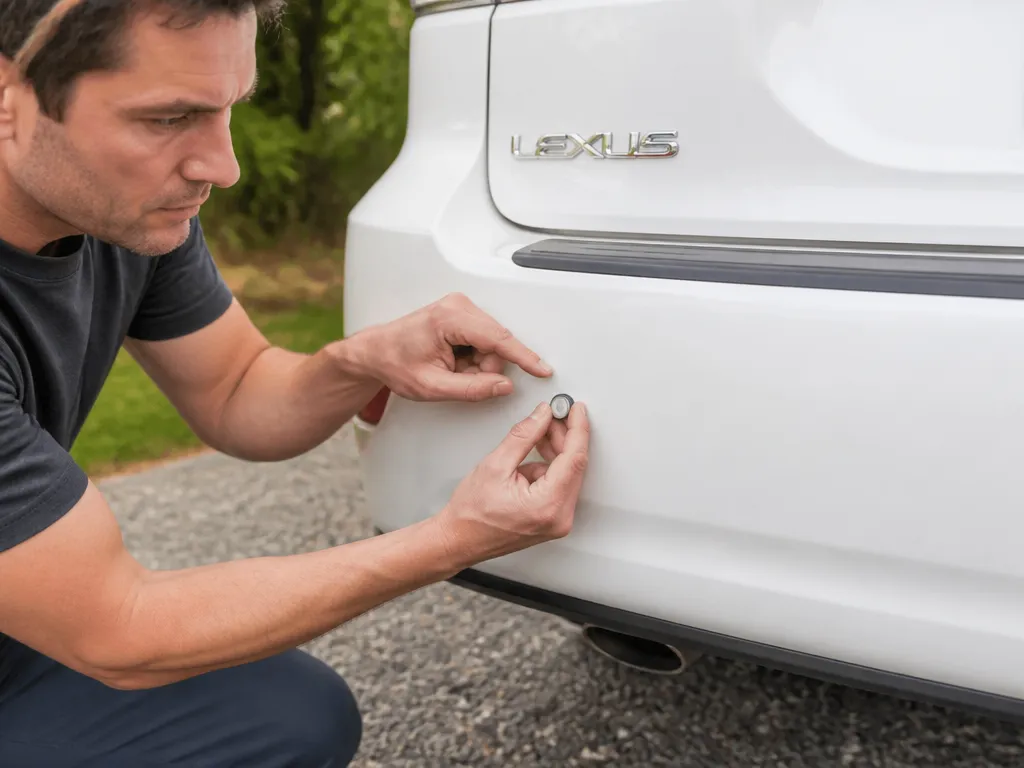
Your Lexus RX 350 may display a “parking assist unavailable” message when its ultrasonic sensors are dirty or frozen. Rain, ice, road film, car-wash residue, and grime can block the sensor surface enough to make the system stop trusting its readings.
Park in a sheltered area and inspect the rear bumper sensor areas. If your RX 350 has front intuitive clearance sonar, inspect the front sensors as well. Wipe the sensor faces with a clean microfiber cloth and a water-safe cleaning method, then dry them thoroughly. Do not test immediately if the bumper is still wet or icy. Let the vehicle warm up and retest at low speed.
This is the quickest safe diagnosis because it costs nothing, does not disturb the wiring, and addresses the condition the system commonly reports.
How the RX 350 Narrows the Fault
The parking assist system can record a condition involving dirty or frozen ultrasonic sensors and can store diagnostic trouble codes, or DTCs. The multi-information display may show that parking assist is unavailable when the sensors cannot provide reliable readings.
The next decision is whether the diagnostic system reports DTCs:
- DTCs are not output: The system is not currently confirming a specific hardware fault. Contamination, moisture, freezing, or an intermittent condition remains more likely.
- DTCs are output: The system has identified a fault direction. Use Techstream to read the data list and follow the proceed steps connected to the displayed code.
Do not replace a sensor simply because the warning appeared once. If cleaning, drying, and warming restore operation, the problem may have been environmental rather than electrical.
Step-by-Step Parking Sensor Repair
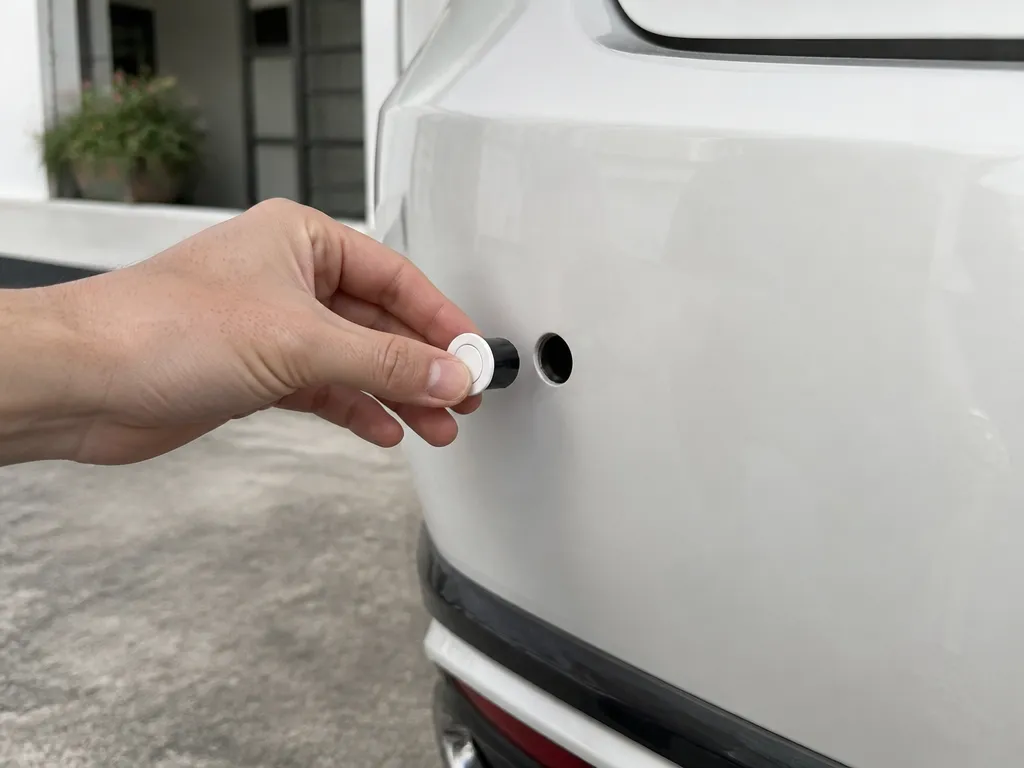
Follow these steps in order to avoid unnecessary parts and calibration work.
- Confirm the exact message. Check the multi-information display for “parking assist unavailable,” a frozen-sensor message, or similar wording.
- Clean the sensor faces. Wipe the ultrasonic sensor areas on the bumper with a clean microfiber cloth and a water-safe method. Remove film and residue, then dry the surfaces completely.
- Thaw frozen areas. If the vehicle was exposed to cold weather, let it warm up until the bumper and sensors are no longer icy or wet.
- Retest under stable conditions. Drive slowly and check whether the warning clears and distance beeps return, if equipped.
- Check for DTCs with Techstream. If the warning remains, open the parking assist or advanced parking guidance diagnostic menus and check whether DTCs are output.
- Separate history from an active fault. If you see “sensor frozen history” entries, record them before clearing anything. Clearing DTCs also clears the history record.
- Inspect wiring only after identifying a fault direction. If DTCs are output, check the relevant sensor harness and connector for looseness, corrosion, or physical damage if you are comfortable performing electrical checks.
- Initialize or calibrate after related repairs. If steering-related parts or the rear television camera assembly were replaced, perform the required initialization and adjustment steps in diagnostic mode.
When DTCs Are Not Output
If Techstream indicates DTCs are not output, the system is not currently confirming a specific hardware failure. The condition may be intermittent and related to the weather or the bumper environment.
Frozen or dirty sensors can create an intermittent “works again later” problem. If parking assist returns after a clean-and-warm cycle, do not jump straight to harness repairs or sensor replacement. Monitor whether the warning returns under the same rain, cold, or car-wash conditions.
When DTCs Are Output
If Techstream indicates DTC is output, follow the proceed steps tied to the diagnostic note and measurement item shown on the tester. This is the point where guessing becomes expensive. Match the inspection to the code and data list instead of replacing the most accessible component.
The “sensor frozen history” items can identify areas such as:
- Rear right
- Rear right center
- Rear left center
- Rear left
- Front right
- Front right center
The diagnostic note states that clearing DTCs also clears the history record. Record the affected sensor locations before clearing anything, then check whether the same area is logged again after cleaning and retesting.
Use History and Calibration Clues Correctly
A repeated “sensor frozen history” warning is useful only if you preserve the information before clearing it. Write down the front or rear sensor locations shown in the data list, then compare the results after the next test.
If the warning returns, possible causes include:
- Residue, grime, or trim coating remains on the sensor face.
- Road splash or blocked drainage keeps the sensor area wet.
- Moisture freezes again during a sustained cold soak.
- A hardware problem appears only at a particular temperature or moisture level.
Calibration is a separate issue. The parking assist monitor system can require adjustments after inputs to the system change. Steering angle neutral point initialization may be required after steering sensor replacement. Rear television camera optical axis or back camera position setting may be required after rear camera removal or installation, or when suspension or tire changes alter vehicle height.
The repair manual’s inspection path also assumes a particular navigation or audio-and-visual system configuration. Use the parking assist monitor system diagnostic and calibration path that matches your vehicle rather than assuming any generic scan-tool menu is equivalent.
Practical Rules That Prevent Wasted Repairs
- Clean first, scan second. When the message matches dirty or frozen sensors, cleaning and drying is the best first move.
- Record codes before clearing them. Clearing DTCs also removes frozen-history records, including entries for areas such as front right center or rear left center.
- Calibrate only after a related change. Use steering angle neutral point initialization or rear camera optical axis/back camera position setting after the applicable replacement, removal, installation, suspension work, or tire change.
- Follow the “proceed to” logic. Techstream and the repair manual use the DTC status and tester display to direct the next inspection.
- Recreate the failure safely. If the sensors fail in freezing rain but work on a dry driveway, compare those conditions without driving faster than necessary or relying on parking assist during the test.

Helpful pick
A-Premium Parking Assist Sensor Compatible with Toyota & Lexus
When you have confirmed a faulty unit through scanning, use this compatible parking assist sensor to complete your repair and clear those persistent error codes.
When to Stop and Get Professional Help
Stop troubleshooting and seek expert help if:
- Wiring, connectors, or bumper trim around a sensor show physical damage.
- A sensor harness is cut, pulled tight, or has exposed conductors.
- DTCs remain after cleaning and confirming that the sensor area is dry.
- The problem began after steering sensor replacement, rear television camera work, suspension work, or tire replacement and the system will not initialize correctly.
At that point, the repair may require connector testing, correct initialization procedures, or alignment-related adjustments. Proper diagnostic equipment is safer than probing unfamiliar wiring or repeatedly clearing codes.
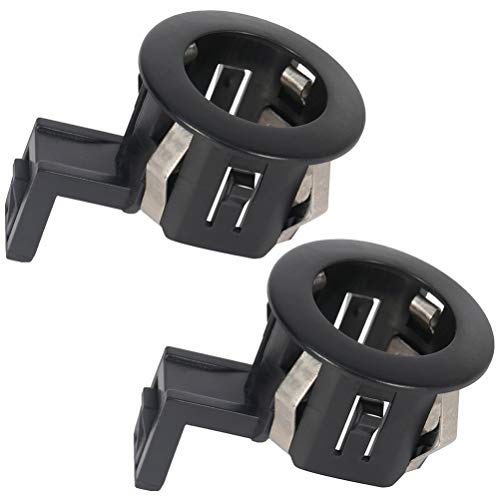
Helpful pick
ROADFAR 2-Pack Parking Sensor for Lexus RX
If your professional inspection reveals damaged hardware, this ROADFAR 2-pack provides an affordable and effective solution to restore your parking assist system functionality.
Lexus RX 350 Parking Sensor Mistakes to Avoid
- Replacing sensors before thawing and cleaning: New parts will not solve a surface contamination problem.
- Clearing DTCs before recording the results: You lose the stored map of which sensors were flagged.
- Calibrating without a reason: Steering angle neutral point initialization and back camera optical axis setting are tied to specific replacements or changes.
- Ignoring DTC status: When DTCs are not output, the system is not confirming a hardware fault at that moment. Treating it immediately as a wiring failure reverses the proper diagnostic order.
- Retesting too soon: Moisture can remain on or around the sensors after a quick warm-up. Wait until the bumper is dry and the temperature is stable.
The Cold Car-Wash Trap
A common pattern starts with washing the vehicle while it is still cold. You drive once, the warning returns, and the sensor is blamed. Water film may have refrozen or remained trapped around the sensor area.
Allow the vehicle time to warm before escalating to wiring or parts. If the same sensor location repeatedly logs frozen history after that process, move to the DTC-specific inspection.
A More Efficient Techstream Workflow
Use a simple sequence: record the message, inspect the sensor area, retest, check DTC status, and then follow the data list.
When Techstream is connected, use the parking assist monitor system path and the measurement items shown on the tester display. The manual ties the diagnostic steps to the displayed data, so a generic scan-tool menu may not provide the same proceed steps or calibration functions.
Pay particular attention to recently changed inputs:
- Steering sensor replacement: Steering angle neutral point initialization may be required.
- Rear television camera assembly replacement or a changed camera installation angle: Rear television camera optical axis or back camera position setting may be required.
- Suspension or tire replacement: Changed vehicle height can require rear camera optical axis or back camera position setting.
These procedures are connected to how the monitor system interprets distance and vehicle positioning. They are not general resets to run at random.
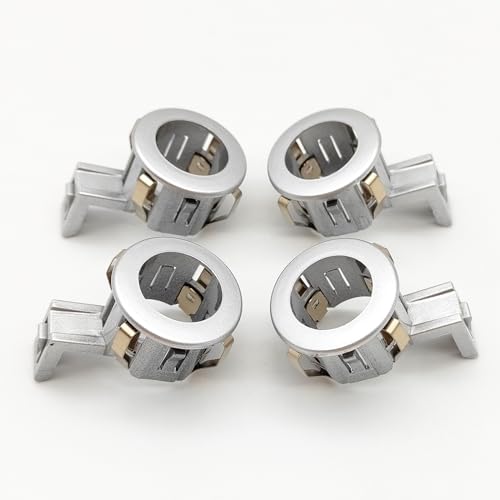
Helpful pick
4PC PDC Parking Sensor Retainer 89348-33100 Compatible with Toyata Lexus RX350 RX450h 89348-33100-B0
During your repair workflow, you may find that the sensor retainer brackets are broken; these 4-piece replacements ensure your sensors stay securely in place.
FAQ
What does “parking assist unavailable” usually mean on a Lexus RX 350?
It often means the system cannot trust the ultrasonic sensor readings. Dirty or frozen sensors can trigger the message on the multi-information display.
Can cleaning fix a Lexus RX 350 parking sensor?
Yes, when the warning results from dirty or frozen sensor conditions. If the warning clears after the sensor area is cleaned, dried, and warmed, contamination or ice was the likely cause.
Do I need Techstream to diagnose the problem?
Use Techstream when cleaning and retesting do not resolve the warning. Check whether DTCs are not output or DTC is output. If DTCs are output, follow the diagnostic note, data list, and proceed steps shown by the tester.
How long should I wait after thawing the sensors?
Wait until the sensor area is dry and the vehicle has stabilized at a warmer temperature. Then retest once or twice at low speed. A quick warm-up may leave moisture on the bumper, allowing the system to continue behaving as if the sensors are frozen or contaminated.
What mistake can make diagnosis harder?
Clearing codes before recording what the system logged. Clearing DTCs also clears frozen-history entries, so you may lose the information showing which areas, such as rear right or front right center, were flagged. Record the results first, then decide whether clearing the codes is appropriate.
Disclosure: As an Amazon Associate, I may earn from qualifying purchases at no extra cost to you. Amazon and the Amazon logo are trademarks of Amazon.com, Inc, or its affiliates.
- Amazon, Amazon Prime, the Amazon logo and Amazon Prime logo are trademarks of Amazon. com, Inc. or its affiliates.

Hi, I am AKM Sad. I’m a car enthusiast and reviewer who loves exploring gadgets and accessories. I share honest reviews and practical tips to help you get the best products and enjoy a safer, smoother ride.