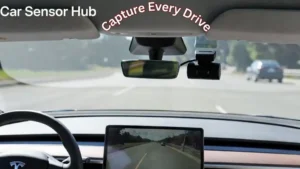
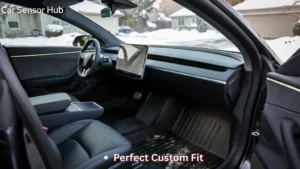
Imagine a crystal-clear display free from distracting glare and oily fingerprints. Mastering how to protect Tesla Model S screen surfaces with a tempered glass shield ensures your central hub remains responsive and flawless for every drive.
But this screen is also delicate and can easily get scratched, cracked, or damaged. If you want to keep your Tesla looking new and working perfectly, protecting your screen is a must. You’ll discover simple and effective ways to shield your Tesla Model S screen from harm.
Keep reading to learn how to save yourself from costly repairs and enjoy a flawless driving experience every time.
Common Risks To Tesla Model S Screen
Physical damage like scratches or cracks can harm the Tesla Model S screen. Sharp objects or dropping items on the screen cause damage. Using a screen protector helps reduce these risks.
Environmental factors also affect the screen. High heat from sunlight may cause the screen to fade or stop working well. Moisture or water can lead to screen malfunction. Parking in shaded or covered areas helps protect the screen.
Software and firmware issues may cause the screen to freeze or display errors. Keeping the car’s software updated fixes many bugs. Restarting the system can solve small problems quickly.

Credit: www.youtube.com
Choosing The Right Screen Protector
Tempered glass is thicker and stronger than plastic films. It protects well against scratches and drops. Plastic films are thin and flexible. They guard against fingerprints and minor scratches but not strong impacts. Choosing depends on how much protection you want and your budget.
Important features include high transparency to keep the screen clear. Look for easy installation to avoid bubbles. Anti-fingerprint coating helps keep the screen clean. Some protectors also reduce glare for better visibility in sunlight.
| Brand | Type | Key Features |
|---|---|---|
| Spigen | Tempered Glass | High clarity, easy install, strong protection |
| Skinomi | Plastic Film | Flexible, anti-fingerprint, bubble-free |
| Wigoo | Tempered Glass | Scratch resistant, glare reduction, responsive touch |
Read More: Screen Protector for Tesla Model S Display
Step-by-step Screen Protector Installation
Start by cleaning the Tesla Model S screen with a soft cloth. Remove all dust and fingerprints carefully. Use a small amount of screen cleaner or water if needed. Avoid harsh chemicals that might damage the screen.
Peel off the backing from the screen protector slowly. Align the protector with the screen edges before placing it down. Press the center gently and let it stick by itself. Use a credit card or a flat tool to push out air bubbles. Move from the center toward the edges carefully.
Check the screen for any remaining bubbles or dust. Lift the protector slightly if you find dust and use tape to remove it. Press the edges firmly to ensure full adhesion. Let the protector sit for a few minutes to settle. Your Tesla Model S screen is now protected and clean.

Credit: www.greendrive-accessories.com
Maintenance Tips For Longevity
Use a soft, lint-free cloth to clean the Tesla Model S screen. Avoid paper towels or rough materials that can scratch the glass. Use a small amount of water or a screen-safe cleaner. Never spray liquid directly on the screen; instead, spray it on the cloth first.
Do not press too hard while cleaning. Gentle wiping prevents damage to the sensitive screen. Avoid using harsh chemicals like ammonia or alcohol. These can harm the screen’s protective coating.
Check the screen regularly for cracks or dead pixels. Early detection helps prevent bigger problems. Keep the car away from extreme heat or direct sunlight for long periods. Excess heat can cause screen fading or malfunction.
Additional Screen Protection Accessories
Protective cases and covers shield the Tesla Model S screen from scratches and dust. They fit snugly and do not block the touch sensitivity. Many covers are easy to install and remove.
Anti-glare solutions reduce reflections and improve screen visibility in bright sunlight. These films help drivers see the display clearly without straining their eyes.
Screen cleaning kits keep the display spotless. They usually include a soft cloth and a gentle cleaning spray safe for screens. Regular cleaning stops dirt and fingerprints from building up.
Troubleshooting Screen Issues
Scratches and smudges can make the Tesla Model S screen hard to see. Use a soft microfiber cloth to clean it gently. Avoid harsh chemicals that might damage the screen. For light scratches, special screen polish kits can help reduce their look.
Touch sensitivity problems may cause the screen to respond slowly or wrongly. Restarting the car can fix many small glitches. Make sure the screen is clean and dry. If the issue continues, a software update might be needed.
Professional help is needed when the screen is cracked or not working at all. Tesla service centers can repair or replace the screen safely. Do not try to fix major problems yourself, as it may cause more damage.
Read More: Best Door Sill Protectors Tesla Model 3
Conclusion
Protecting your Tesla Model S screen is simple with the right care. Use a quality screen protector to avoid scratches and smudges. Clean the screen gently with a soft cloth to keep it clear. Avoid harsh chemicals that can damage the display.
Keep sharp objects away from the screen surface. Regular care helps your screen stay bright and responsive. Taking these small steps can extend your screen’s life. Your Tesla’s touchscreen deserves attention and protection every day. Small efforts lead to big benefits in the long run.
FAQs About Protect Tesla Model S Screen
How Do I Clean My Tesla Model S Screen Safely?
Use a microfiber cloth and a screen-safe cleaner. Avoid harsh chemicals or paper towels to prevent scratches and damage. Gently wipe the screen without applying too much pressure for best results.
What Screen Protectors Work Best For Tesla Model S?
Tempered glass and high-quality PET film protectors are ideal. They prevent scratches, reduce glare, and maintain touch sensitivity. Choose protectors specifically designed for Tesla Model S for perfect fit and durability.
Can Direct Sunlight Damage The Tesla Model S Screen?
Yes, prolonged exposure to direct sunlight can cause screen discoloration and overheating. Use sunshades or park in shaded areas to protect the screen and preserve its lifespan.
How To Prevent Fingerprint Smudges On Tesla Model S Screen?
Regularly clean the screen with a microfiber cloth. Consider applying an anti-fingerprint screen protector. Avoid touching the screen with oily or dirty hands to keep it clear and responsive.
Disclosure: As an Amazon Associate, I may earn from qualifying purchases at no extra cost to you. Amazon and the Amazon logo are trademarks of Amazon.com, Inc, or its affiliates.
- Amazon, Amazon Prime, the Amazon logo and Amazon Prime logo are trademarks of Amazon. com, Inc. or its affiliates.

I am Sadman, the founder of CarSensorHub.com, where I share my passion for cars and technology. I specialize in writing detailed reviews and helpful guides on car gadgets, accessories, safety tools and many more. My mission is to help car owners discover the best products and tips to improve their driving experience and stay safe on the road.