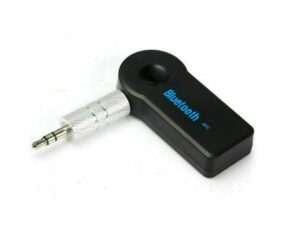
Is the OTTOCAST Mini Pico worth it if your car already has wired CarPlay? The listing says yes, on the condition that your car is on its list. It is a small plug-in dongle that turns a wired CarPlay or Android Auto setup into a wireless one, and it is built for drivers who want to skip the cable every time they get in.
| # | Product | Best for | Price |
|---|---|---|---|
| 1 | OTTOCAST Mini Pico Wireless CarPlay | Top Pick | Check price on Amazon |
Who it is for, and who should skip it
The Mini Pico suits a few kinds of buyer. The first is the daily commuter who gets into the same car every morning and wants the phone to connect on its own. The listing says it “auto-reconnects every time you start your car,” so there is no step to repeat. The second is the person who drives a rental or a shared car and wants a plug-and-play setup with no app to install. The listing calls it ideal for “rental cars, shared vehicles, and busy drivers on the go.” The third is the owner who wants a clean dashboard and no cable running to the phone.
It is a poor fit for drivers whose car does not have factory wired CarPlay or Android Auto. It works with iOS 10+ and Android 11+ vehicles equipped with factory wired CarPlay or Android Auto, so it only upgrades a system that is already there. Drivers who want a built-in screen setup should look at a head unit replacement instead.
What it offers
The Mini Pico is grouped here by the job each part does for the owner. The listing puts several features under its wireless performance claims, and they matter most on a long drive.
Staying connected while you drive
The listing says the adapter uses WiFi 6 and Bluetooth 5.4 and describes the result as “faster data transfer, ultra-low latency, and smoother wireless CarPlay and Android Auto.” It also says the connection holds “in heavy traffic, tunnels, or signal-dense urban areas.” These are the manufacturer’s claims, and they are the reason to choose wireless over a cable.
Setting it up
The setup is meant to be simple. The listing says there are “no apps, no updates, and no complicated setup.” You plug the Mini Pico into a USB-A or USB-C port and it starts working. For a shared or rental car, this is the main selling point, because no one has to install anything first.
Controlling it from the car
The listing says the adapter supports “voice control, touchscreen, and steering wheel buttons.” That means the controls you already use in the car keep working. The listing names these three controls and nothing more, so do not expect extra functions beyond them.
Fitting it in the car
The listing describes the body as “ultra-small” and says it “stays firmly connected even on rough roads.” The listing describes it as ultra-small and designed to blend into the interior.
| # | What Amazon lists |
|---|---|
| 1 | 【Next-Gen Wireless Performance】Powered by WiFi 6 and Bluetooth 5.4, the OTTOCAST Mini Pico works as a next-generation wireless carplay adapter, delivering faster data transfer, ultra-low latency, and smoother wireless CarPlay and Android Auto—perfect for daily commutes and long road trips. |
| 2 | 【Fast & Stable Connection Anywhere】As a high-performance android auto wireless adapter, Mini Pico connects in seconds and auto-reconnects every time you start your car. Even in heavy traffic, tunnels, or signal-dense urban areas, this carplay wireless adapter maintains a strong, lag-free wireless connection. |
| 3 | 【True Plug-and-Play Convenience】No apps, no updates, and no complicated setup. Simply plug the Mini Pico into your USB-A or USB-C port and enjoy effortless wireless carplay adapter for iPhone and Android devices—ideal for rental cars, shared vehicles, and busy drivers on the go. |
| 4 | 【Ultra-Compact Pico Design】Designed to blend seamlessly into any interior, the Mini Pico is a discreet yet powerful wireless android auto adapter. Its ultra-small, space-saving design stays firmly connected even on rough roads, keeping your dashboard clean and clutter-free. |
| 5 | 【Wide Compatibility & Smart Control】As an Ottocast wireless CarPlay adapter, Mini Pico works with iOS 10+ and Android 11+ vehicles equipped with factory wired CarPlay or Android Auto. Built to meet future driving needs, it also serves as a 2026 wireless Android Auto adapter, supporting voice control, touchscreen, and steering wheel buttons for a safer, smarter driving experience. |
Pros and cons
Pros
- Wireless CarPlay without a cable every trip
- Auto-reconnects when the car starts
- Plug-and-play with no app or setup
- Supports voice, touchscreen and steering wheel controls
- Small body that keeps the dashboard clear
Cons
- Listed for factory wired CarPlay cars only, so vehicles without that factory system are left out.

The verdict
Buy it if your car already has factory wired CarPlay or Android Auto and you want to drop the cable. Skip it if your car has no such system, because this only adds wireless to what is already there. Check that before you order. The listing says it works with iOS 10+ and Android 11+ devices, so your phone’s software version and your car’s built-in system both have to qualify.
For the daily commuter, the auto-reconnect and no-setup design make the most sense. Once it is plugged in, it connects in seconds each time you start the car, so there is nothing to do before you pull out of the driveway. That matters most when the drive is the same route every day and you want the phone to just work.
For a shared or rental car, the plug-and-play approach is a strong argument. You do not need to install an app, run updates, or go through a setup menu that the next driver would have to learn. You plug it into a USB-A or USB-C port, and your own phone connects. When you are done, you can unplug it and take it with you.
The central trade-off is that you give up the fixed, built-in feel of a head unit for a small plug-in that depends on your car’s existing system. The adapter sits in a port and stays out of the dashboard, which keeps the interior clean. If the car’s own screen, voice buttons, or steering wheel controls are part of what you use, the adapter passes those through to the factory system rather than replacing it.
If you want a larger screen or a feature the listing does not name, a head unit upgrade is the better route.
FAQs About Ottocast Mini Pico Review
Does it need an app or updates?
No, the listing says there are “no apps, no updates, and no complicated setup.” You plug it in and it works.
Will it work with my phone?
The listing says it works with iOS 10+ and Android 11+ devices and supports iPhone and Android phones. Check that your phone and car both meet those requirements before buying.
Does it come with a cable or mount?
The listing does not say what is included in the box. Check the item details before buying if you need a cable or mount.
Is a wireless adapter worth it at all?
It depends on how much you value skipping the cable. If you already use wired CarPlay and do not mind plugging in, the gain is small. If you switch between cars or want a clean setup, the convenience is the main reason to buy.
Disclosure: As an Amazon Associate, I may earn from qualifying purchases at no extra cost to you. Amazon and the Amazon logo are trademarks of Amazon.com, Inc, or its affiliates.
- Amazon, Amazon Prime, the Amazon logo and Amazon Prime logo are trademarks of Amazon. com, Inc. or its affiliates.

I am Sadman, the founder of CarSensorHub.com, where I share my passion for cars and technology. I specialize in writing detailed reviews and helpful guides on car gadgets, accessories, safety tools and many more. My mission is to help car owners discover the best products and tips to improve their driving experience and stay safe on the road.